
Impeccable: The Design Skill That Stops Your AI-Generated UIs from Looking Like AI (Complete Guide)
Veröffentlicht am 18. März 2026Aktualisiert am 27. Mai 2026
Why Every AI-Generated UI Looks the Same
If you use Claude Code, Cursor, or any other AI coding tool to generate web interfaces, you have probably noticed a pattern. The outputs all look alike: Inter font, purple-to-blue gradient background, cards nested inside cards, gray text on colored backgrounds, a centered hero with a big glowing number. The developer community has a name for this now: "AI slop."
The problem is not that language models lack capability. Claude, GPT, and Gemini know professional design principles perfectly well. They know what OKLCH tinted neutrals are, what vertical typographic rhythm means, what an 8-pixel baseline grid does. But they never apply these concepts spontaneously, because nobody asks. The bottleneck sits between developer intent and AI execution: it is a vocabulary problem.
This is precisely what Impeccable solves. Created by Paul Bakaus, this open-source design skill framework just crossed 10,000 stars on GitHub. We discovered it this week as it was trending with over 6,000 new stars in just a few days. Our testing is still in progress, but the concept and technical rigor already deserve a thorough analysis.
What Impeccable Actually Is
Impeccable is not a component library. It is not a design system. It is not a CSS theme. It is a vocabulary layer that sits between your intent and the AI's execution. The project rests on three pillars:
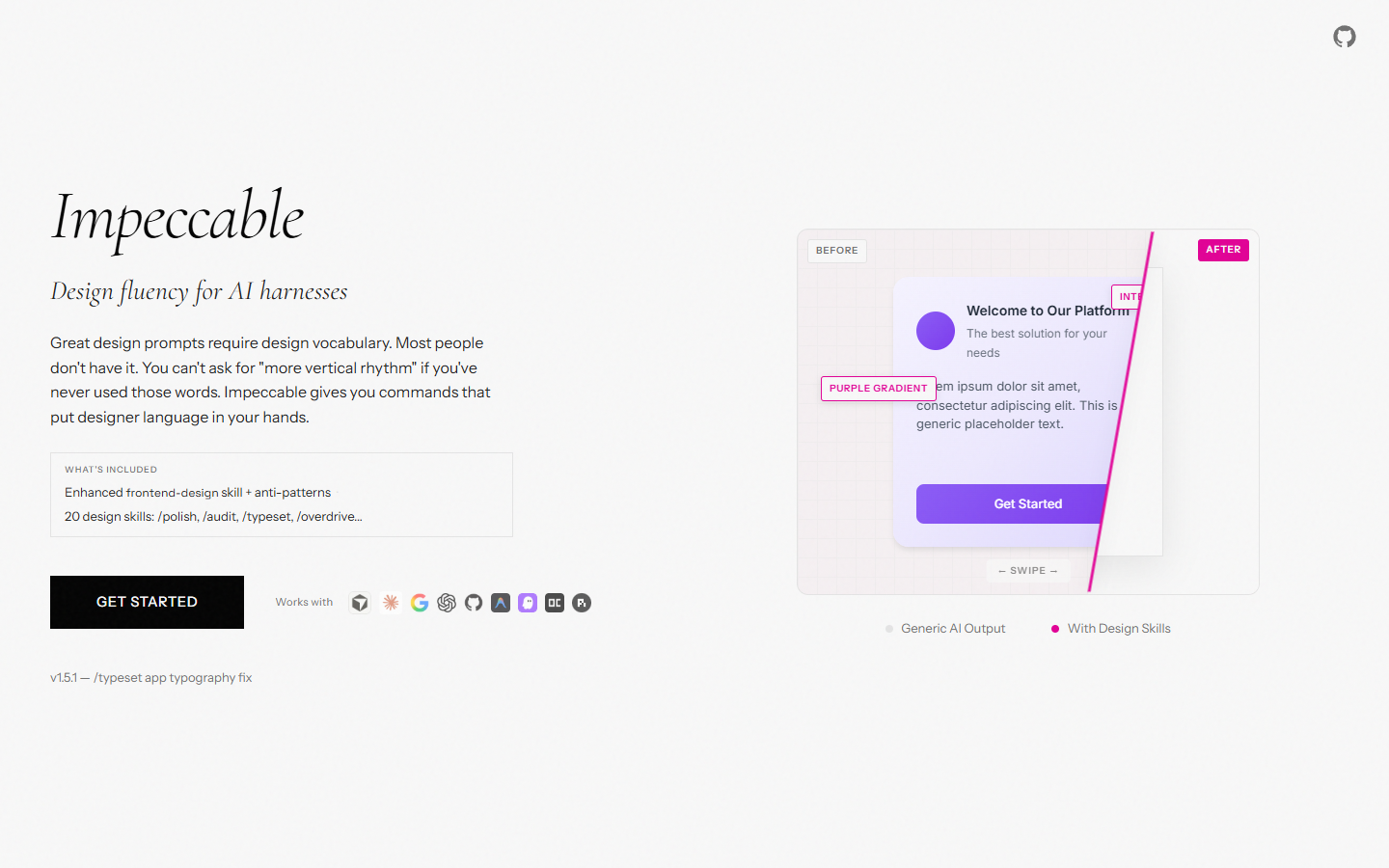
An enhanced skill that extends Anthropic's original frontend-design skill with 7 domain-specific reference files covering typography, color and contrast (OKLCH), spatial design, motion design, interaction design, responsive design, and UX writing.
20 slash commands that form a complete design language. Each command targets a specific aspect of the interface and can be chained into a structured workflow.
A curated anti-pattern library that explicitly tells the AI what NOT to do, counteracting its training data biases.
The Creator: Paul Bakaus, a Builder of Technology Bridges
Paul Bakaus is no stranger to the web ecosystem. His career follows a recurring pattern: every time a technology shift creates a gap between available tools and developer needs, he builds the bridge.
He created jQuery UI, the interface library that powered roughly 20% of the popular internet. He then built the first game engine running entirely in a browser, a project acquired by Zynga. At Google, he led Chrome DevTools as product lead, launched AMP and Web Stories, and became the company's first Head of Creator Relations. More recently, as EVP of Product at Spotter, he built AI-powered creative tools for YouTube creators.
With Impeccable, he applies the same logic: AI-assisted coding has created a new gap between what developers want and what AI produces. Impeccable is the bridge.
The 20 Commands: A Complete Design Vocabulary
The strength of Impeccable lies in its slash commands, each encapsulating a concept that designers use daily but most developers have never encountered. Here is the complete table:
Command | What it does |
|---|---|
| One-time setup: gathers design context, saves to |
| Technical quality checks: accessibility, performance, responsive |
| UX design review: hierarchy, clarity, emotional resonance |
| Align with design system standards |
| Final pass before shipping: alignment, spacing, details |
| Strip to essence, remove unearned complexity |
| Improve unclear UX copy |
| Performance improvements |
| Error handling, i18n, edge cases |
| Add purposeful motion (not decorative) |
| Introduce strategic color to monochromatic UIs |
| Amplify designs that feel too safe |
| Tone down overly aggressive designs |
| Add memorable moments of joy |
| Pull into reusable components |
| Adapt for different devices and contexts |
| Design onboarding flows and empty states |
| Fix font choices, hierarchy, and sizing |
| Fix layout, spacing, and visual rhythm |
| Technically extraordinary effects: shaders, spring physics, scroll-driven reveals |
The usage logic is fluid. You can chain commands in a natural workflow: start with /audit to identify issues, move to /arrange for layout fixes, then /typeset for typography, and finish with /polish for the final pass. Each command accepts an optional argument to target a specific area, for example /audit header or /polish checkout-form.
Three Standout Commands
Among the 20 commands, three deserve special attention as the most recent and distinctive additions:
/typeset fixes font choices, size hierarchy, and scaling. In version 1.5.1, released on March 17, 2026, this command now recommends fixed type scales for app UIs while reserving fluid typography for marketing and content pages.
/arrange tackles layout, spacing, and visual rhythm. It is the command that transforms a stack of blocks into a cohesive composition.
/overdrive is the most ambitious: it adds technically extraordinary effects like shaders, spring physics, or scroll-driven reveals. Still in beta, it represents the direction the project is heading.
Anti-Patterns: Telling the AI What NOT to Do
This may be the most valuable part of Impeccable. Negative constraints break the model's default trajectory. When you forbid Inter, the AI is forced to make a real typographic choice. When you forbid pure black, it adopts tinted neutrals. Here are the key codified anti-patterns:
Typography:
Do not use Inter, Roboto, Arial, or system default fonts
Do not use monospace for "developer vibes"
Do not place large rounded icons above every heading
Color:
Do not use gray text on colored backgrounds (use a darker shade of the background)
Do not use the "AI palette": cyan-on-dark, purple-to-blue gradients, neon on dark
Do not use pure black (#000) or pure white (#fff); always tint neutrals
Layout:
Do not wrap everything in cards
Do not nest cards inside cards
Do not use identical card grids (icon + heading + text)
Do not center everything; prefer left-aligned text with asymmetric layouts
Motion:
Do not use bounce or elastic easing (use smooth deceleration)
Do not animate width, height, or padding; use transform and opacity
The 7 Technical Reference Files
Impeccable's skill is built on 7 reference files that form a comprehensive design knowledge base:
Reference file | Domains covered |
|---|---|
typography | Type systems, font pairing, modular scales, OpenType |
color-and-contrast | OKLCH, tinted neutrals, dark mode, accessibility |
spatial-design | Spacing systems, grids, visual hierarchy |
motion-design | Easing curves, staggering, reduced motion |
interaction-design | Forms, focus states, loading patterns |
responsive-design | Mobile-first, fluid design, container queries |
ux-writing | Button labels, error messages, empty states |
These references go beyond listing best practices. They contain specific directives on modern CSS techniques like OKLCH for perceptually uniform color palettes, clamp() for fluid typography, and container queries for responsive design.
Installation: One Command, Every Tool
Installing Impeccable is remarkably simple. The universal method works with all supported tools:
npx skills add pbakaus/impeccableThis command auto-detects your AI harness (Claude Code, Cursor, Gemini CLI, etc.) and installs files to the correct location.
For Claude Code specifically, a plugin marketplace installation is also available:
/plugin marketplace add pbakaus/impeccableThen open /plugin and install from the Discover tab.
Compatibility
Impeccable currently supports 9 AI coding tools:
Cursor (requires Nightly channel and Agent Skills enabled in Settings)
Claude Code
Gemini CLI (requires preview version and Skills enabled via /settings)
Codex CLI (different syntax:
/prompts:audit,/prompts:polish, etc.)VS Code Copilot
Google Antigravity
Kiro
OpenCode
Pi
After installation, running /teach-impeccable once is recommended. This command gathers your project's design context (target audience, use cases, brand personality) and saves it to an .impeccable.md file at the project root. All subsequent commands then automatically benefit from this context.
Measured Results: +59% Quality Without Changing Models
Third-party quality benchmarks run by Tessl evaluated the quality of interfaces produced with and without Impeccable across three scenarios: a revenue dashboard, a landing page, and a task manager.
The results speak for themselves:
Aggregate score: 0.82 out of 1.00
Improvement over baseline: +0.35 (1.59x multiplier)
OKLCH color usage: from 0 to 12/12 with the skill active
Tinted neutrals and fluid typography: near-zero without the skill, maximum with it
The key takeaway is striking: a 59% improvement comes not from a more powerful model, but from a vocabulary injection. The capability was already in the model. The prompts simply were not specific enough to unlock it.
Version History and Development Pace
Impeccable's development pace is intense. Since its initial launch on February 28, 2026, the project has seen five major updates in under three weeks:
v1.0.0 (February 28, 2026): launch with enhanced frontend-design skill and 17 commands
v1.1.0 (March 4, 2026): unified skills architecture, VS Code Copilot and Google Antigravity support,
/simplifyrenamed to/distillv1.2.0 (March 5, 2026): Kiro support, prefix toggle for naming conflicts
v1.3.0 (March 12, 2026): OpenCode and Pi support
v1.5.0 (March 16, 2026): three new commands (
/typeset,/arrange,/overdrive), auto design context gathering via.impeccable.mdv1.5.1 (March 17, 2026):
/typesetadjustment for app UIs
Our Discovery and Early Testing
We discovered Impeccable this week while browsing GitHub trending, where the project accumulated over 6,000 new stars in just a few days, reaching a total now exceeding 10,000. The project currently has 10,198 stars and 393 forks.
Our testing is underway and we will publish a full review later. What we can already note: the project structure is solid, installation is smooth, and the fact that commands became agent skills in v1.1 shows a clear technical direction. The context system via .impeccable.md is particularly well-designed because it avoids repeating project specifics with every interaction.
Limitations and Caveats
Impeccable is not without limitations, and they are worth mentioning:
Vocabulary is not taste. Knowing the term "tinted neutrals" does not mean knowing when to use them. Visual judgment remains a human skill.
The scope is single-generation. Each generation is independent. Multi-page consistency for a complete application still requires your own design constraints.
Opinions are codified. "No bounce easing" is Paul Bakaus's taste turned into a rule, not a universal truth. By adopting Impeccable, you also adopt his aesthetic opinions.
The token cost is real. Seven reference files represent meaningful context overhead for a quick fix. You are paying for vocabulary you might not need on every task.
A Growing Ecosystem of AI Coding Skills
Impeccable is part of a broader movement. Skills for AI coding tools are multiplying rapidly. Anthropic launched the original frontend-design skill that reached 277,000 installs. Obra Superpowers offers a structured development methodology framework. The LobeHub marketplace now lists hundreds of specialized skills.
Paul Bakaus's prediction, shared by several analysts, is that similar vocabulary layers will emerge for every domain: backend architecture, API design, database schemas, security posture. Anywhere expert knowledge compresses into terms non-experts do not know, a vocabulary layer will bridge the gap.
For now, Impeccable is the first serious attempt to bridge that gap for frontend design. The benchmarks suggest the approach works. The development pace indicates a project in full acceleration. And 10,000 GitHub stars in under three weeks confirm the need is very real.
FAQ
What is AI Slop?+
AI Slop refers to mediocre AI-generated content: repetitive code, ugly frontends, generic texts. It's a growing phenomenon as AI is massively used without human curation.
What is Impeccable?+
Impeccable is a project that tackles the AI Slop problem on AI-generated frontends. It provides conventions, rules, and tools to produce clean, maintainable, and aesthetically polished code.
How do you avoid AI Slop in your projects?+
Several levers: use top-tier models, define precise prompts with examples, add a human review layer, and codify your standards (design system, linter, tests). Impeccable encapsulates these best practices.
Is Impeccable open source?+
Yes, the project is open and offers a ready-to-use approach for developers who want to generate clean UIs with AI. Check the GitHub repo for documentation and examples.

Klare, transparente Preise ohne versteckte Kosten.
Keine Verpflichtung, Preise, die Ihnen helfen, Ihre Akquise zu steigern.

Credits(optional)
Sie benötigen keine Credits, wenn Sie nur E-Mails senden oder auf LinkedIn-Aktionen ausführen möchten
Können verwendet werden für:
E-Mails finden
KI-Aktion
Nummern finden
E-Mails verifizieren
€19pro Monat
1,000
5,000
10,000
50,000
100,000
1,000 Gefundene E-Mails
1,000 KI-Aktionen
20 Nummern
4,000 Verifizierungen
€19pro Monat
Entdecken Sie andere Artikel, die Sie interessieren könnten!
Alle Artikel ansehenSoftware
Veröffentlicht am 11. Juli 2024
7 Alternativen zu Expandi, um Ihre Akquisitionskosten zu senken
 Marie Head Of Sales
Weiterlesen
Software
Veröffentlicht am 22. Apr. 2024
Die 5 besten Alternativen zu Dropcontact für eine bessere B2B-Kundenakquise
Marie Head Of SalesWeiterlesen
Software
Veröffentlicht am 4. Juni 2024
Die 6 besten Alternativen zu GetProspect, um Ihre Kundenakquise anzukurbeln
Marie Head Of SalesWeiterlesen
Software
Veröffentlicht am 31. März 2025
9 Alternativen zu UpLead, um Ihre Kundenakquise WIRKLICH anzukurbeln
 Niels Co-founder
Weiterlesen
Software
Veröffentlicht am 8. März 2025
7 Alternativen zu Kaspr für Ihre B2B-Akquise 2026
Niels Co-founderWeiterlesen
Software
Veröffentlicht am 26. Apr. 2024
Email Finder 2026: Die 9 besten Hunter.io-Alternativen
Marie Head Of SalesWeiterlesen
Nützliche Links
HubKaltakquise-E-Mail: Kompletter LeitfadenZustellbarkeit: Kompletter LeitfadenAlternative zu LemlistAPIDemo anfordernPartnerprogrammFind emailÜber uns
Feedback & RoadmapDatenschutzrichtlinieAGBImpressumTestimonialsRoadmapAlternativesVergleicheContact Maylee
Made with ❤ for Growth Marketers by Growth Marketers
Copyright © 2026 Emelia All Rights Reserved