
Gamma Imagine: Crea Infografías y Logos Profesionales en 30 Segundos con IA
Publicado el 16 mar 2026Actualizado el 19 mar 2026
Gamma Imagine: la nueva arma de IA para crear visuales profesionales sin diseñador
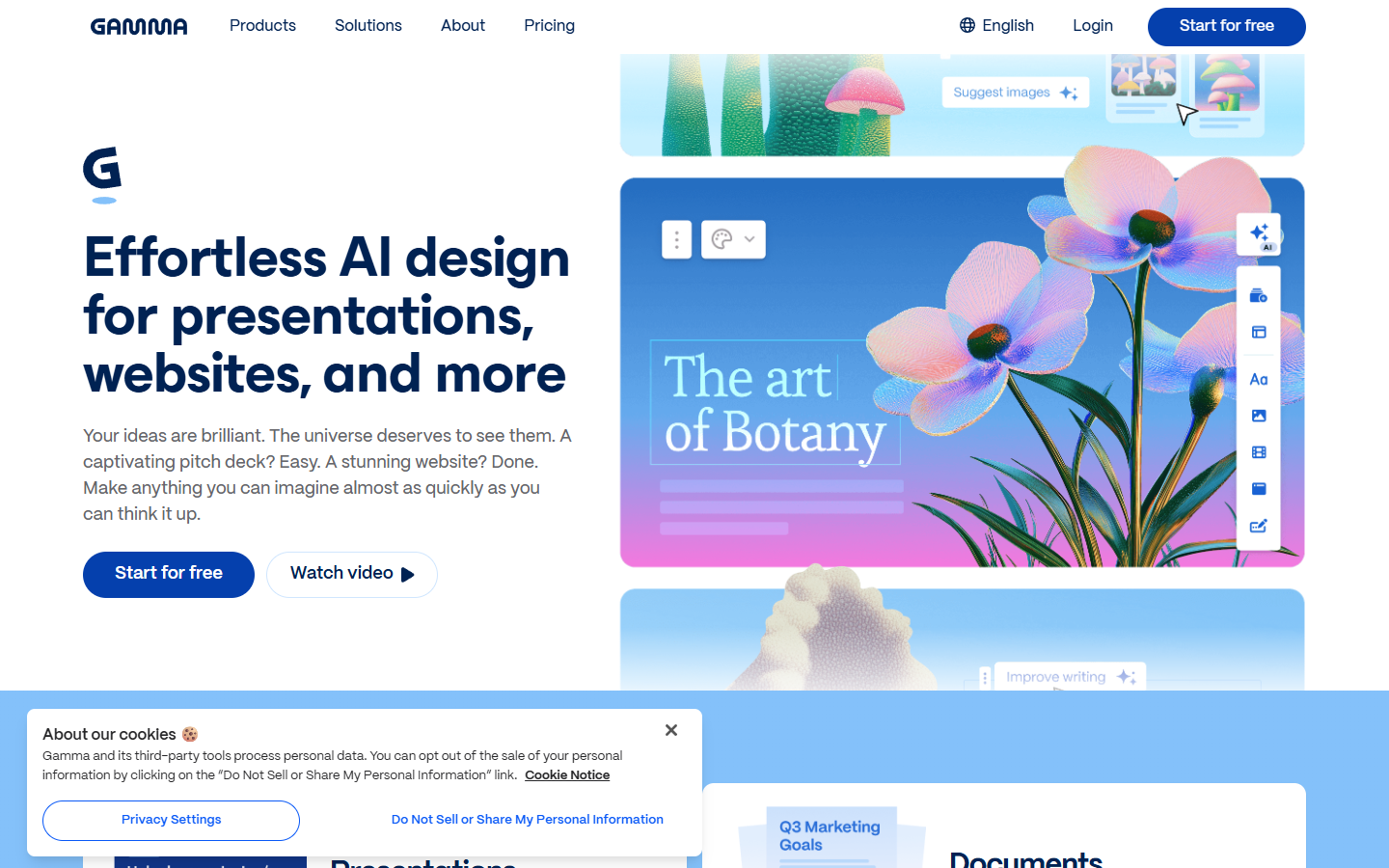
El 17 de marzo de 2026, Gamma lanzó lo que la propia empresa califica como "la mayor actualización de su historia". En el centro de este anuncio, Gamma Imagine, una herramienta de diseño totalmente impulsada por inteligencia artificial, capaz de generar logos, infografías, diagramas, carteles, visuales para redes sociales y muchos otros tipos de contenidos gráficos, todo a partir de una simple descripción textual.
Para los equipos de marketing, los fundadores de startups o los consultores que pasan horas montando visuales en Canva o esperando que un diseñador gráfico les entregue un logo, este anuncio merece atención. Gamma Imagine no se limita a añadir una funcionalidad cosmética a una herramienta de presentaciones, reposiciona a Gamma como una plataforma completa de comunicación visual, en competencia directa con Canva y, en cierta medida, con Adobe.
Gamma ya contaba con 70 millones de usuarios en noviembre de 2025, cuando la startup levantó 68 millones de dólares en Serie B con Andreessen Horowitz por una valoración de 2.100 millones de dólares. En marzo de 2026, esa cifra se acerca a los 100 millones de usuarios, de los cuales más del 80 % están situados fuera de Estados Unidos. Cada día se generan más de un millón de contenidos en la plataforma. Ya no es una herramienta de nicho.
¿Qué es Gamma Imagine y cómo funciona?
El principio, un canvas de diseño impulsado por IA
Gamma Imagine funciona como un canvas de diseño dedicado, integrado directamente en la plataforma Gamma. A diferencia de las herramientas tradicionales, donde partes de una página en blanco y manipulas formas, capas y fuentes, Gamma Imagine simplemente te pide que describas lo que quieres crear.
El proceso se desarrolla en varias etapas:
Eliges el tipo de visual deseado, infografía, cartel, diagrama, publicación para redes sociales, logo, invitación, calendario, organigrama, u "otra cosa" si tu necesidad no corresponde a ninguna categoría predefinida.
Seleccionas un formato (cuadrado 1:1, retrato 3:4, 4:5, 9:16, paisaje 4:3, 16:9) y opcionalmente un tema de marca ya registrado en Gamma.
Rediges tu descripción textual precisando el contenido, el tono y el objetivo del visual. También puedes importar una imagen de referencia para guiar el estilo.
La IA genera hasta tres variaciones que puedes comparar y luego refinar directamente en el canvas.
Las capacidades de edición
Una vez generado el visual, no te quedas bloqueado con un resultado estático. Gamma Imagine ofrece un conjunto completo de herramientas de edición:
Edición libre por descripción textual (haz el fondo más oscuro, cambia el título)
Recorte y redimensionamiento sin pérdida de detalles
Goma inteligente para eliminar elementos o fondos
Cambio de estilo visual (restyling)
Historial de versiones para volver a un estado anterior
La idea central es que nunca necesitas salir de la interfaz textual, describes tus modificaciones en lenguaje natural y la IA las aplica.
Las nuevas funcionalidades de la actualización de marzo de 2026
Gamma Imagine no es la única novedad de esta gran actualización. Aquí está el conjunto de funcionalidades anunciadas.
Smart Charts, gráficos interactivos alineados con tu marca
Gamma permite ahora crear gráficos interactivos (barras, dispersión, embudos, mapas de calor) que heredan automáticamente los colores y la tipografía de tu identidad visual. Para los equipos que producen informes o presentaciones con datos, esta funcionalidad elimina el ir y venir entre Excel, una herramienta de gráficos y la herramienta de presentación.
AI Illustrations, visuales de marca en lenguaje natural
Con AI Illustrations, puedes generar y modificar ilustraciones de marca (logos, assets de marketing, visuales para redes sociales) utilizando prompts en lenguaje natural. La herramienta aplica automáticamente los colores y la identidad visual de tu equipo.
AI Infographics, infografías completas a partir de un texto
Describe el contenido de tu infografía o de tu diagrama, y Gamma lo genera respetando tu identidad visual. El resultado puede usarse como visual autónomo o integrarse en una presentación o un documento.
Templates remezclables por la IA
Gamma ofrece ahora más de 100 templates profesionales que puedes "remezclar" describiendo simplemente las modificaciones deseadas. También puedes partir de cualquier gamma creado previamente y pedir a la IA que lo adapte a un nuevo contexto.
Las integraciones, ChatGPT, Claude, Zapier, Atlassian y más
Lo que hace que esta actualización sea estratégicamente importante no son solo las funcionalidades de diseño. Es la apertura de Gamma a las herramientas que los equipos ya utilizan a diario.
Las nuevas integraciones incluyen:
ChatGPT y Claude, ahora puedes generar contenido Gamma (presentaciones, documentos, visuales) directamente desde una conversación con estos asistentes de IA. En la práctica, esto significa que si estás hablando de una estrategia de marketing con Claude, puedes pedirle que cree una presentación Gamma sin salir de la conversación.
Zapier y Make, estos conectores de automatización permiten desencadenar la creación de contenidos Gamma a partir de eventos en otras aplicaciones. Por ejemplo, un nuevo cliente en tu CRM podría generar automáticamente un deck de bienvenida personalizado.
n8n, para los equipos técnicos que prefieren una herramienta de automatización open source.
Atlassian, integración con el ecosistema Jira y Confluence, lo que facilita la creación de visuales directamente en los flujos de gestión de proyectos.
Superhuman Go y Profound, integraciones de productividad adicionales.
Glean, anunciada como próxima integración.
Grant Lee, CEO de Gamma, resume esta estrategia: "Concebimos Gamma en torno a la convicción de que cualquiera debería poder comunicar visualmente sin necesitar competencias en diseño o un equipo de diseñadores. Esta actualización es la mayor expresión de esa visión hasta la fecha, y con Gamma ahora presente en las herramientas donde los equipos ya trabajan, la distancia entre una idea y un entregable listo para compartir es prácticamente nula."
Gamma vs Canva vs Adobe, el comparativo
La pregunta que todo el mundo se hace, ¿puede Gamma Imagine realmente reemplazar a Canva o Adobe para la creación de visuales profesionales? Aquí un comparativo detallado.
Critère | Gamma | Canva | Adobe Creative Cloud |
|---|---|---|---|
Approche | IA native, génération par prompts | Design assisté par IA (Magic Studio) | Outils professionnels avec IA (Firefly) |
Création de logos | Oui, par description textuelle | Oui, via templates et éditeur | Oui, via Illustrator et Express |
Infographies | Génération automatique par l'IA | Templates manuels + Magic Design | InDesign / Illustrator |
Graphiques interactifs | Smart Charts intégrés | Graphiques statiques | Pas directement |
Respect de la charte graphique | Automatique (thèmes Gamma) | Brand Kits (payant) | Configuration manuelle |
Courbe d'apprentissage | Très faible (langage naturel) | Faible à moyenne | Élevée |
Présentations intégrées | Oui (fonctionnalité principale) | Oui | Non (sauf PowerPoint) |
Intégrations IA | ChatGPT, Claude, Zapier, Make, n8n | Limité | Firefly intégré, pas d'API ouverte |
Prix entrée de gamme | Gratuit (400 crédits) | Gratuit (limité) | 54,99 $/mes (Creative Cloud) |
Prix pro | 15 à 20 $/mes | 15 $/mes (Pro) | 54,99 $/mes |
Cible principale | Knowledge workers, équipes non-designers | Tout public, PME, créateurs | Designers professionnels |
Dónde gana Gamma
Gamma se destaca en tres áreas clave. Primero, la velocidad, generar un visual completo en unos segundos a partir de un prompt es un orden de magnitud más rápido que partir de una plantilla de Canva. Después, la coherencia de marca, la aplicación automática de los temas de marca en cada creación elimina el riesgo de desviación visual. Por último, el ecosistema de integraciones, poder crear visuales desde ChatGPT o automatizar la generación vía Zapier abre casos de uso que Canva no cubre.
Dónde Canva sigue siendo superior
Canva conserva ventajas significativas. Su biblioteca de más de 140 millones de fotos, vídeos y elementos gráficos premium es incomparablemente más rica. Sus funcionalidades de impresión integrada (tarjetas de visita, flyers, carteles) no tienen equivalente en Gamma. Y para los casos de uso puramente manuales donde quieres un control píxel a píxel, el editor de Canva ofrece una flexibilidad que el enfoque de IA de Gamma aún no puede igualar.
¿Y Adobe?
Adobe se sitúa en otro segmento. Creative Cloud sigue siendo la herramienta de referencia para los diseñadores profesionales que necesitan la potencia de Illustrator, Photoshop o InDesign. Pero Grant Lee no apunta a ese mercado. Apunta explícitamente a "la larguísima cola de trabajadores del conocimiento y de profesionales cuyo oficio exige comunicar visualmente, pero que simplemente no tienen las herramientas". Gamma se posiciona en el espacio intermedio entre las herramientas profesionales como Adobe o Figma y las herramientas históricas como PowerPoint.
Los precios de Gamma, lo que hay que saber
Gamma ofrece cuatro planes:
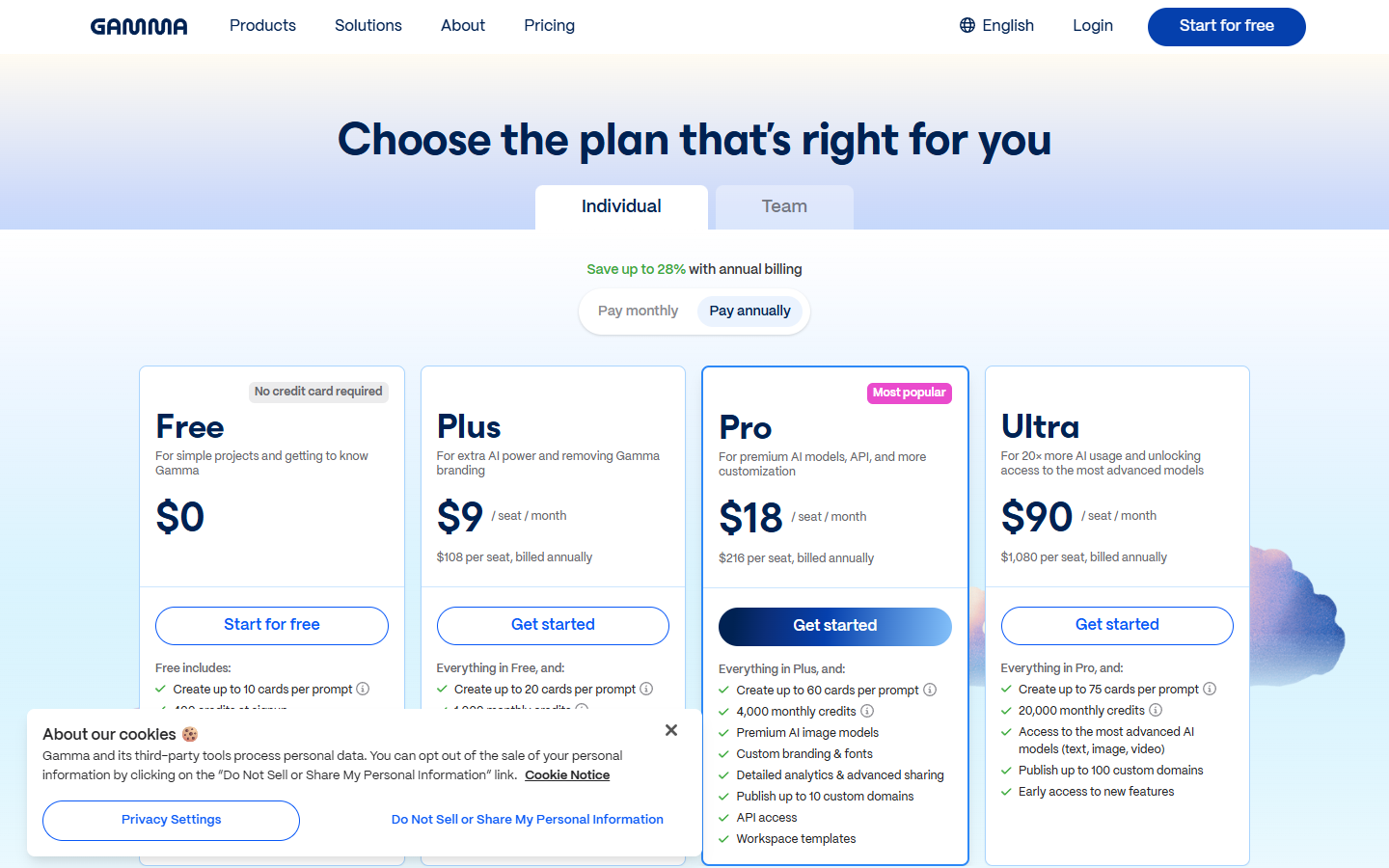
Free, acceso a las funcionalidades básicas (presentaciones, documentos, sitios web, redes sociales e imágenes), 400 créditos de IA para los nuevos usuarios, exportación en PDF, PPTX, PNG y Google Slides.
Plus (a partir de 8 $/mes con facturación anual), creaciones de IA ilimitadas, créditos mensuales estándar, eliminación del branding Gamma, modelos de imágenes de IA avanzados, hasta 20 tarjetas por prompt.
Pro (a partir de 15 $/mes con facturación anual), modelos de imágenes de IA premium, branding y fuentes personalizados, analytics detallados, acceso API, hasta 60 tarjetas por prompt.
Ultra, acceso a los modelos de IA más avanzados (texto e imagen), hasta 100 dominios personalizados, acceso anticipado a las nuevas funcionalidades.
Un punto importante, Gamma Imagine consume créditos de IA. En el plan gratuito, los 400 créditos iniciales se agotan rápidamente si generas y editas muchos visuales. Para un uso regular, el plan Plus o Pro es casi indispensable. La funcionalidad Imagine es accesible para todos los usuarios desde el 17 de marzo de 2026, pero los modelos de IA más potentes están reservados a los planes de pago.
¿A quién se dirige Gamma Imagine?
Los equipos de marketing en startups y pymes
Si no tienes diseñador interno y pasas tus tardes creando visuales para LinkedIn, infografías para tu blog o presentaciones para clientes, Gamma Imagine está claramente concebido para ti. La promesa de crear un visual profesional en 30 segundos, respetando automáticamente tu identidad visual, responde a una necesidad real.
Los consultores y freelancers
Producir entregables visualmente cuidados (decks, informes, infografías) forma parte del día a día de los consultores. Gamma Imagine permite pasar de la idea al entregable sin etapa intermedia, y la integración con Claude o ChatGPT significa que puedes pasar directamente del análisis a la maquetación.
Los equipos comerciales
Los sales que necesitan personalizar rápidamente presentaciones para cada prospect encontrarán en los templates remezclables y en la automatización vía Zapier o Make un ahorro de tiempo considerable.
Los equipos de producto y tech
La integración Atlassian y la posibilidad de crear diagramas y organigramas por descripción textual son casos de uso directamente relevantes para los product managers y los equipos técnicos.
Lo que este anuncio revela sobre el futuro del diseño
El lanzamiento de Gamma Imagine se inscribe en una tendencia más amplia, la democratización radical del diseño profesional por la IA. Hace cinco años, crear un logo profesional requería o bien un diseñador, o bien horas de trabajo en una herramienta como Canva. Hoy, una descripción textual basta.
Pero este anuncio es también una señal estratégica para Canva. La startup australiana, valorada en 26.000 millones de dólares, ha añadido progresivamente funcionalidades de IA a su editor existente (Magic Studio, Magic Design). El enfoque de Gamma es fundamentalmente diferente, en lugar de añadir la IA a un editor visual, Gamma construye un editor visual alrededor de la IA. Es lo que la empresa llama "IA nativa".
Grant Lee, por cierto, ha lanzado una gira mundial de usuarios para acompañar este lanzamiento, con etapas en Seúl (17 de marzo), Londres (23 de marzo) y São Paulo (26 de marzo), reflejando la huella internacional de Gamma.
La verdadera pregunta para los próximos meses será saber si este enfoque "IA nativa" produce resultados lo bastante profesionales como para convencer a los equipos de abandonar Canva. Los primeros retornos serán determinantes. Lo que es seguro es que la barrera entre "tener una idea" y "producir un visual profesional" nunca ha sido tan fina.

Precios claros, transparentes y sin costes ocultos.
Sin compromiso, precios para ayudarte a aumentar tu prospección.

Créditos(opcional)
No necesitas créditos si solo quieres enviar emails o hacer acciones en LinkedIn
Se pueden utilizar para:
Buscar Emails
Acción IA
Buscar Números
Verificar Emails
€19por mes
1,000
5,000
10,000
50,000
100,000
1,000 Emails encontrados
1,000 Acciones IA
20 Números
4,000 Verificaciones
€19por mes
Descubre otros artículos que te pueden interesar!
Ver todos los artículosSoftware
Publicado el 24 jun 2025
Expandi vs Waalaxy: Análisis COMPLETO
 Niels Co-founder
Leer más
Prospección B2B
Publicado el 1 abr 2025
5 grandes proveedores de datos B2B 2026
Niels Co-founderLeer más
Prospección B2B
Publicado el 19 may 2025
Emails en BCC: buenas prácticas y alternativas B2B
 Mathieu Co-founder
Leer más
Software
Publicado el 24 jun 2025
LeadFuze vs Waalaxy: análisis completo para tomar la mejor decisión
Niels Co-founderLeer más
Marketing
Publicado el 17 jun 2025
Top 7 softwares de marketing automatizado en 2026
Mathieu Co-founderLeer más
IA
Publicado el 18 jun 2025
5 mejores generadores de contenido con IA 2026 (cold email)
Niels Co-founderLeer más
Enlaces útiles
HubCold-email: Guía CompletaEntregabilidad: Guía completaAlternativa a LemlistAPISolicitar una demoPrograma de afiliadosFind email Maylee
Made with ❤ for Growth Marketers by Growth Marketers
Copyright © 2026 Emelia All Rights Reserved