Dripify Pricing 2026: Plans, Limits and Real Cost Per User
Dripify advertises $39 per month. Two things are missing from that number: it is an annual rate paid upfront, and it is a per-seat price.
In practice, that $39 means $468 charged as a single payment, for a plan that allows a single campaign and caps you at 20 connection requests per day. The real entry point for serious outreach sits one tier above.
Every amount in this article is a monthly price with no commitment, checked in August 2026. Annual rates are listed separately, along with the amount actually charged.
How much does Dripify cost in 2026? The full price list
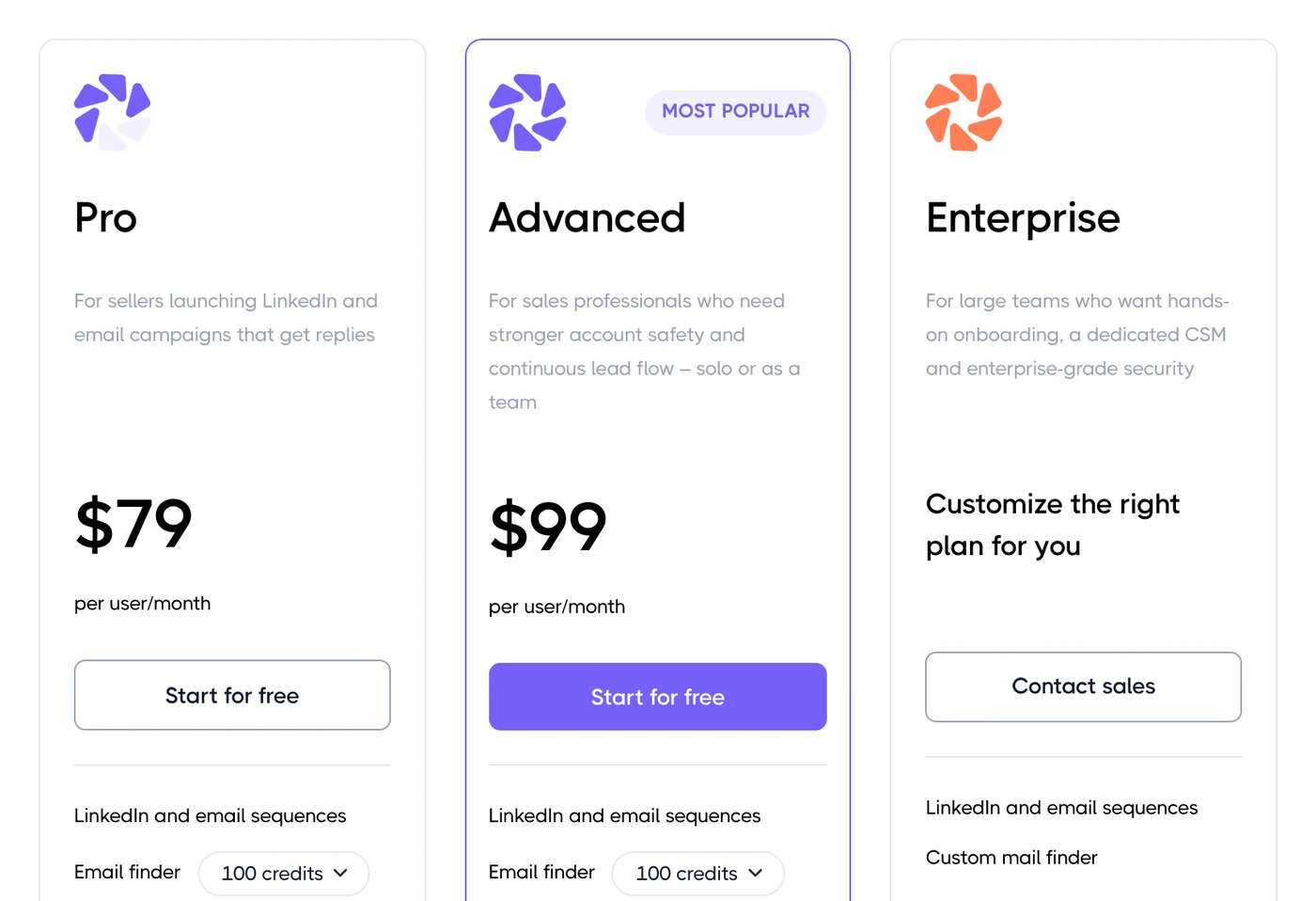
Three public plans, all billed per seat, plus a quote-only Enterprise tier. What separates the plans is not the number of contacts but the daily action quotas and the team features.
Plan | Billing unit | Monthly | Annual, per month | Charged upfront for a year |
|---|---|---|---|---|
Basic | Per seat | $59 | $39 | $468 |
Pro | Per seat | $79 | $59 | $708 |
Advanced | Per seat | $99 | $79 | $948 |
Enterprise | Quote only | Quote only | Quote only | Quote only |
The trial lasts 7 days, requires no credit card, and unlocks the Advanced plan features. It is a full trial, not a stripped-down version.
At Emelia, no LinkedIn action is capped
Unlimited connection requests, messages, emails and scraping, from €37 per month.
The advertised price is an annual price paid upfront
The price list leads with annual rates. That is common enough, but the gap between monthly and annual is 34% here, which makes the comparison misleading if you skim: the Basic plan is $59 if you pay monthly, not $39.
And the annual commitment is charged in one payment. $468 for Basic, $708 for Pro, $948 for Advanced, per seat. Refunds are limited if you cancel mid-year, and that comes up regularly in public reviews: check the terms before you pay.
Daily limits, the real split between the plans
This is where the three plans actually differ, far more than in the feature list. Dripify caps every type of action, and the entry plan is heavily throttled.
Action per day | Basic | Pro | Advanced |
|---|---|---|---|
Connection requests | 20 | 75 | 75 |
Messages | 30 | 100 and up | 100 and up |
Sales Navigator InMails | 10 | 30 | 30 |
Profile views | 100 | 200 and up | 200 and up |
Skill endorsements | 10 | 50 and up | 50 and up |
Post likes | 10 | 50 and up | 50 and up |
Profile follows | 10 | 50 and up | 50 and up |
Twenty connection requests per day is roughly 400 a month once you count business days. At that pace, a serious outreach campaign takes a full quarter to work through its target market. The Pro plan raises that ceiling almost fourfold, for $20 more per month on annual billing.
One more thing worth knowing: the unlimited campaigns on the Pro plan do not multiply your sending capacity. Every active campaign draws from the same daily quota. Running five campaigns does not send five times more invites; it splits the same actions.
What each plan unlocks
The Basic plan
One active campaign, which cannot be edited or archived once it is live
The reduced action quotas from the table above
LinkedIn sequences and basic email sequences
Advanced statistics, sequence templates and 24/7 support
No CRM integration, no CSV export, no webhooks
The Pro plan
Unlimited campaigns and the full action quotas
The dedicated inbox, so you can reply without leaving the tool
Lead export to CSV
Webhooks, Zapier and the HubSpot integration
The Advanced plan
Multi-team management and per-team performance reports
Stronger LinkedIn protection
Lead tagging and stats broken down by sequence step
Permanent leads and A/B testing
So the Basic plan is mostly there to let you try the tool. The moment you want to connect a CRM, export your leads or run more than one campaign, you move to Pro. That is the plan to treat as the real entry point.
The email finder and its credits
Dripify includes 100 email finder credits per month on every plan. Those credits are valid for 30 days and do not roll over: whatever you do not use is gone.
A hundred addresses a month is enough to sample with, no more. Any outreach that genuinely combines LinkedIn and email will run on top-ups, billed separately.
Credit pack | Price |
|---|---|
1,000 credits | $29 |
2,000 credits | $49 |
5,000 credits | $69 |
10,000 credits | $99 |
Do not confuse this email finder with a contact database. Dripify enriches prospects you have already found on LinkedIn; it does not give you a searchable B2B database where you can look up companies or decision-makers.
The email finder is included, not sold in packs
Credits top up from €19 per 1,000, and are only deducted when a result is found.
What the price does not cover
No searchable contact database: you always start from a LinkedIn search
Email finder credits beyond the 100 included each month
CRM integrations on the Basic plan: they only start at Pro
Team features, which are Advanced only
Sales Navigator, optional but needed for advanced search filters and InMails
Mailbox warmup and deliverability tooling, which are outside the product
The real budget for one LinkedIn account
Assumptions: a single seat, annual billing, and add-ons taken at their entry tier. Sales Navigator is counted at its usual rate of roughly $99 per month.
Setup | Monthly cost | Over a year |
|---|---|---|
Basic, monthly billing | $59 | $708 |
Basic, annual paid upfront | $39 | $468 |
Pro, annual | $59 | $708 |
Pro annual plus 1,000 email finder credits | $88 | $1,056 |
Pro annual plus Sales Navigator | $158 | $1,896 |
Advanced annual, credits and Sales Navigator | $207 | $2,484 |
A setup that actually runs both channels costs five times the headline price. That is not specific to Dripify, but it is the math to do before you compare one advertised price to another.
And that total is per seat. There is no published volume discount: every extra LinkedIn account, including the manager's own account on the Advanced plan, burns a full license at list price.
LinkedIn account safety
Dripify runs from its own servers: once a campaign is live, you can close the browser and shut down the computer, and the actions keep running. The vendor states that actions are executed from your local IP address, with safety algorithms and ceilings tuned per action type.
An independent test published in 2026 qualifies that claim: it recorded connections from datacenter IPs, with no way to pick the location or bring your own proxy. Take it for what it is, a single point-in-time measurement, but it is worth verifying if your LinkedIn account is a critical asset.
Either way, the rule holds for the whole category: no automation removes the risk of a restriction; it only lowers it.
What users say
Dripify is rated very well, and that is worth acknowledging. The platform scores 4.5 out of 5 on G2 across roughly 348 reviews, and 4.7 out of 5 on Capterra across 477 reviews.
The strengths that come up most often are how easy it is to learn, how fast a campaign goes live, the time saved and how responsive support is. Criticism centers on a price that feels steep for solo use, the single campaign on the Basic plan that cannot be edited or archived, the HubSpot integration that runs through a third-party tool, patchy email tracking and an interface that feels dated.
Dripify limits to know before you pay
The Basic plan is really a demo tier: one campaign, quotas at a quarter of Pro, no export
Unlimited campaigns share the same daily quota, they do not multiply capacity
No contact database: the email finder enriches; it does not search
The 100 included credits expire after 30 days and do not roll over
Per-seat billing, with no published volume discount, penalizes teams and agencies
Team features only show up on Advanced, the most expensive plan
The annual commitment is paid upfront and refunds are limited
Who Dripify pays off for, and who it does not
Dripify holds up well for a single operator who wants clean LinkedIn automation that is easy to pick up and runs without leaving a browser open. On the Pro plan billed annually, at $59 per month, with full quotas and lead export, the value is in line with the market, and user ratings back that up.
It gets harder to justify in two cases. As soon as several reps each prospect from their own profile, the lack of a volume discount makes the bill steep. And if your outreach leans on email as much as LinkedIn, the 100 included credits and the basic email sequences will push you to pay for a second tool.
Six Dripify alternatives and what they cost
Prices checked in August 2026, as monthly rates with no commitment. The billing unit is spelled out every time, because that is what drives the budget, not the headline price.
Expandi
Expandi is the closest competitor in positioning: cloud-based LinkedIn automation, dedicated IP and conditional sequences. It bills per connected LinkedIn account, with a single offer that includes every feature.
Expandi pricing
Business: $99 per LinkedIn account per month, $79 on annual billing
Agency: quote only, from ten accounts and up, with white label and multi-client management
Free 7-day trial with full access
Image and video personalization runs through third-party subscriptions, at extra cost
Waalaxy
Waalaxy is the best-known French alternative for LinkedIn automation. Billing is per seat, with a monthly invite ceiling that rises with the plan, and a much lower entry price.
Waalaxy pricing
Pro: $19 per seat per month, 300 invites per month, unlimited campaigns
Advanced: $49 per seat per month, 800 invites, API access and integrations
Business: $69 per seat per month, 800 invites, cold email, multichannel campaigns and 500 email finder credits
Annual billing takes up to 50% off, and the LinkedIn inbox is still a paid add-on
HeyReach
HeyReach targets agencies and fleets of accounts. It bills per LinkedIn sender, then switches to flat packages that pay off once you run several dozen accounts.
HeyReach pricing
Growth: $79 per sender per month, $63 on annual billing
Agency: $999 per month for 25 senders, $799 per month annually, white label included
Unlimited: $2,999 per month for unlimited senders, $2,399 per month annually
The agency tiers let you bring your own proxies
La Growth Machine
La Growth Machine is the French alternative for multichannel LinkedIn and email. Billing is per identity — a complete outreach setup with its own LinkedIn account and sending addresses, which is not the same thing as a user seat.
La Growth Machine pricing
Basic: $70 per identity per month, up to 3 identities, 1 sending address per identity, 250 enriched leads
Pro: $135 per identity per month, unlimited identities, 5 addresses per identity, 400 enriched leads
Ultimate: $195 per identity per month, 10 addresses per identity, 1,000 enriched leads and custom sequences
Agency: quote only, from six identities and up
Lemlist
Lemlist leans more toward cold email than LinkedIn, but it covers both channels and ships with a lead database. Watch the switch: the email tier is a flat subscription, while the multichannel tier reverts to per-seat billing.
Lemlist pricing
Email: $69 per month, $55 annually, unlimited users, 50,000 emails per month
Multichannel: $109 per seat per month, $87 annually, with LinkedIn, SMS, WhatsApp and calls
Enterprise: quote only, from five senders per user and up
Enrichment and intent signals are paid in credits, on top of the subscription
PhantomBuster
PhantomBuster is not a sequencer but an à la carte automation toolbox, billed in execution hours. It is useful for scraping and enriching, far less so for running an outreach cadence.
PhantomBuster pricing
Starter: $69 per month, 20 execution hours and 10,000 AI credits
Pro: $159 per month, 80 execution hours and 30,000 AI credits
Team: $439 per month, 300 execution hours and 90,000 AI credits
Annual billing takes 20% off the whole range
Entry pricing compared
Every amount below is a monthly price with no commitment.
Tool | Billing unit | Paid entry plan | What the entry price gets you | Public pricing |
|---|---|---|---|---|
Dripify | Per seat | $59 | 1 campaign, 20 connection requests per day | Yes |
Expandi | Per LinkedIn account | $99 | 1 LinkedIn account, every feature | Yes |
Waalaxy | Per seat | $19 | 300 invites per month | Yes |
HeyReach | Per LinkedIn sender | $79 | 1 LinkedIn sender | Yes |
La Growth Machine | Per identity | $60 | 1 identity, LinkedIn and email | Yes |
Lemlist | Per subscription, then per seat on multichannel | $69 | Email only, LinkedIn from $109 | Yes |
PhantomBuster | Per subscription and execution hours | $69 | 20 execution hours per month | Yes |
Emelia | Per subscription | $37 | 3 sending mailboxes and 1 LinkedIn account | Yes |
The pattern is clear. Six of the eight tools bill per head, per account or per identity: the invoice tracks the number of profiles doing outreach. Two bill a subscription whose capacity is written into the plan. Dripify sits in the first camp, with the added twist of an entry plan whose quotas do not really let you prospect.
Dripify stops at LinkedIn, Emelia carries on by email
LinkedIn sequences and cold email in the same tool, warm-up included. From €37 a month.
Dripify or Emelia: what actually compares
The overlap is real. Both tools automate LinkedIn, run conditional sequences, find email addresses and handle replies in a unified inbox. So the comparison holds across almost the whole chain.
Three differences drive the choice.
The billing unit. Dripify bills per seat, which means per LinkedIn account doing outreach. Emelia bills a subscription whose capacity, in sending mailboxes and LinkedIn accounts, is written into the plan.
Cold email. On Dripify, email sequences are an add-on to LinkedIn sequences. On Emelia, cold email is a product in its own right, with unlimited sending and warmup included on every mailbox.
Quotas. Dripify caps actions per day and per plan. On Emelia, contacts, emails, LinkedIn actions and scraping are unlimited across the range, and only enrichment credits need topping up.
Criterion | Dripify | Emelia |
|---|---|---|
Billing unit | Per seat | Per subscription |
Monthly entry price | $59 | $37 |
LinkedIn accounts | One per billed license | 1, 5 or 20 depending on the plan |
Sending mailboxes | Your own mailboxes, no warmup | 3, 50 or unlimited depending on the plan |
Warmup | Not offered | On every mailbox, included |
Cold email | Basic sequences as an add-on | Native and unlimited |
LinkedIn quotas | Capped per plan | Unlimited across the range |
Email finder | 100 credits per month, then top-ups | Included, charged on success |
Phone number lookup | Not offered | Included, charged on success |
Sales Navigator scraper | Not offered | Built in |
Multi-team management | On the Advanced plan | Not offered |
Commitment | Monthly or annual paid upfront | No commitment |
Conversely, it is worth being clear about what Emelia does not do. No multi-team management and no white label for agencies, no calls and no SMS. Emelia also has no team mode today: one subscription maps to one user account, and the model works when a single person runs the outreach.
Emelia pricing
Emelia publishes its price list: three tiers at $37, $97 and $297 per month, with no commitment and two months free on annual billing.
The Start plan opens 3 sending mailboxes and 1 LinkedIn account
The Grow plan opens 50 mailboxes and 5 LinkedIn accounts
The Scale plan opens unlimited mailboxes and 20 LinkedIn accounts
Contacts, emails, LinkedIn actions and scraping are unlimited across the range, and warmup is included from the first tier. Email finder and phone lookup credits top up on demand, from $19 per 1,000 credits, and are only charged when a result is actually found.
Cold email and LinkedIn in the same tool
Unlimited warmup on every mailbox, built-in Sales Navigator scraper, from €37 per month.
How to cut the Dripify bill
Do not stay on Basic if you are prospecting for real: one campaign and 20 connection requests a day will not fill a pipeline
Only take the annual commitment if your seat count is stable; it is paid upfront and refunds are limited
Count the seats that are actually active, not your headcount: every dormant license costs list price
Size your email finder credits instead of moving up a plan, top-ups run from $29 to $99
Use your 100 included credits within the month, they expire after 30 days
Check whether you really need Sales Navigator: Dripify works with a free LinkedIn account, only advanced filters and InMails require the subscription
If you need email as much as LinkedIn, compare against a subscription-billed tool: the gap widens from the second profile onward
Should you pay for Dripify in 2026?
Yes, if you prospect solo or in a two-person team, LinkedIn is your main channel and you want a simple tool that runs unattended. The Pro plan on annual billing, at $59 per month, gives you full quotas, lead export and integrations, and the user ratings are among the best in the category.
No, if your team has several reps, or if email carries as much weight as LinkedIn in your outreach. In the first case, per-seat billing with no volume discount makes the bill hard to defend. In the second, the 100 included credits and the basic email sequences will send you looking for a second subscription.
The one thing to do before you sign is simple: look at the daily quotas on the plan you are aiming for, then add the credits and the LinkedIn subscription you will need. That total, not the advertised $39, is the price of Dripify.
Frequently asked questions about Dripify pricing
How much does Dripify cost per month?+
Dripify costs $59 per seat per month on the Basic plan, $79 on the Pro plan and $99 on the Advanced plan, with no commitment. With an annual commitment paid upfront, those rates drop to $39, $59 and $79 per month, or $468, $708 and $948 charged as a single payment for the year.
Does Dripify offer a free trial?+
Yes. The trial lasts 7 days, requires no credit card and unlocks the Advanced plan features, so you get the complete tool.
What is the difference between the Basic, Pro and Advanced plans?+
It comes down to daily quotas first. Basic is limited to 20 connection requests and 30 messages per day, with a single active campaign, no export and no integrations. Pro raises that to 75 invites and more than 100 messages per day, with unlimited campaigns, CSV export and the integrations. Advanced adds multi-team management, lead tagging, per-step statistics and A/B testing.
Is Dripify priced per user?+
Yes, and that is what drives the budget. Each seat maps to one LinkedIn account doing outreach, and there is no published volume discount. On the Advanced plan, the manager's own account also burns a full license.
Does Dripify include an email finder?+
Yes, with 100 credits included per month on every plan. Those credits are valid for 30 days and do not roll over. Beyond that, top-ups cost $29 for 1,000 credits, $49 for 2,000, $69 for 5,000 and $99 for 10,000.
Does Dripify come with a contact database?+
No. Dripify enriches prospects you have found on LinkedIn, but it does not give you a searchable B2B database where you can look up companies or decision-makers. The starting point is always a LinkedIn search.
Do you need a Sales Navigator subscription to use Dripify?+
No. Dripify works with a free LinkedIn account. Sales Navigator is still recommended for advanced search filters and for InMails, and you pay for it on top, at around $99 per month.
What is the cheapest Dripify alternative?+
For LinkedIn automation alone, Waalaxy starts at $19 per seat per month. For multichannel email and LinkedIn, Emelia starts at $37 per month, billed as a subscription rather than per seat, with unlimited LinkedIn actions, warmup and email lookup included.