Folderly vs Emelia at a glance


- Mailbox warm-up includedYesYes
- Cold email from your own mailboxesNoYes
- LinkedIn automationNoYes
- Email finderNoYes
- Phone number finderNoYes
Checked on October 28, 2026 on Folderly’s own pages and on Emelia’s pricing page.
What Folderly is now: a deliverability platform that rejects the warm-up label
Folderly’s home page sums it up as “AI and email deliverability tools for B2B teams”. Behind that line sit 3 core products, Folderly, Inbox Insights and Pulse, and 5 smaller tools with plans of their own, from campaign drafts to DMARC monitoring.
What the Folderly product does each day
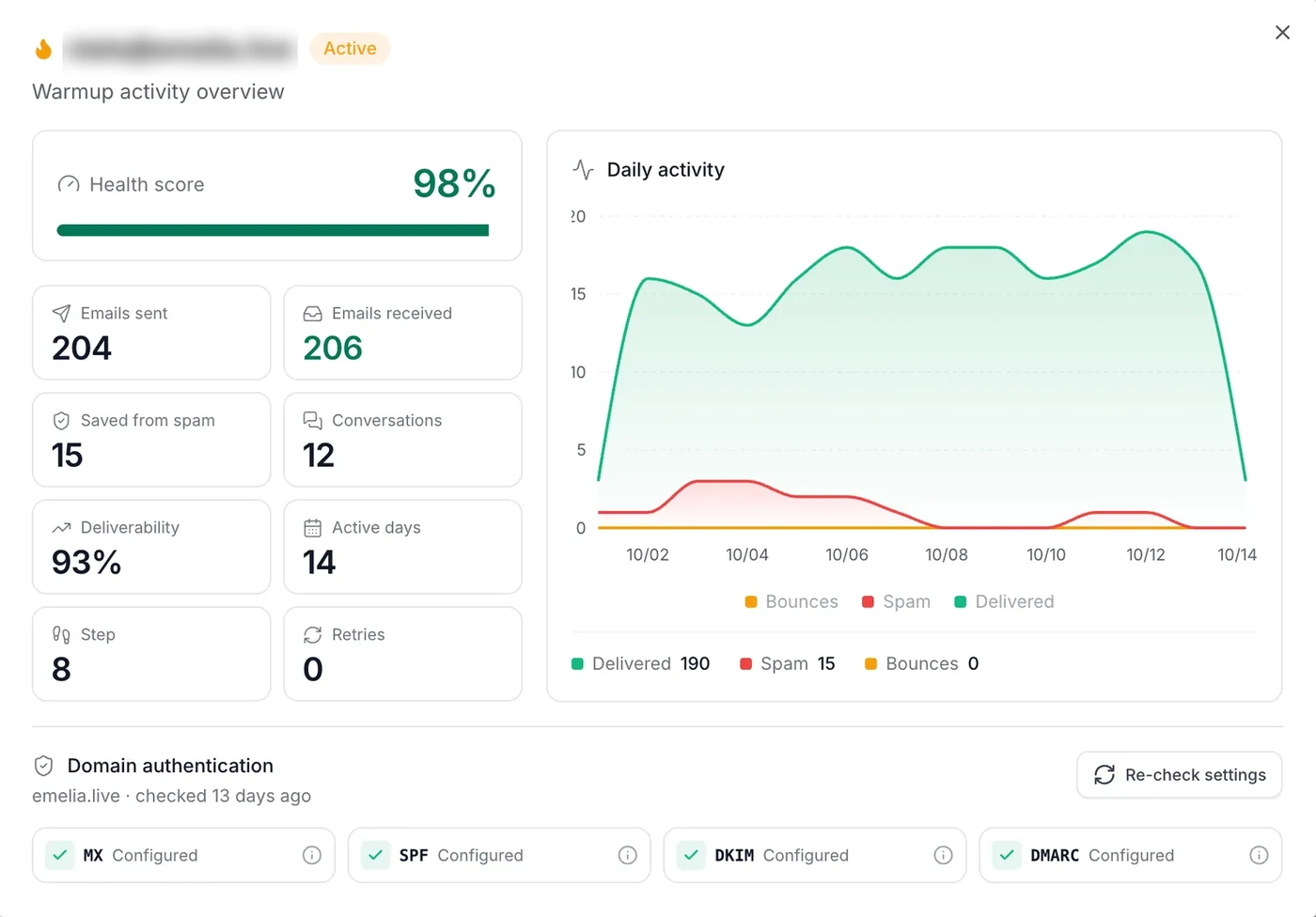
You connect your sending mailboxes (Google Workspace, Microsoft 365, Outlook and Microsoft Exchange, or any other provider through custom SMTP) along with the template you really send. Folderly then runs a daily upkeep from that template to improve the engagement of the mailbox, the domain and the IP.
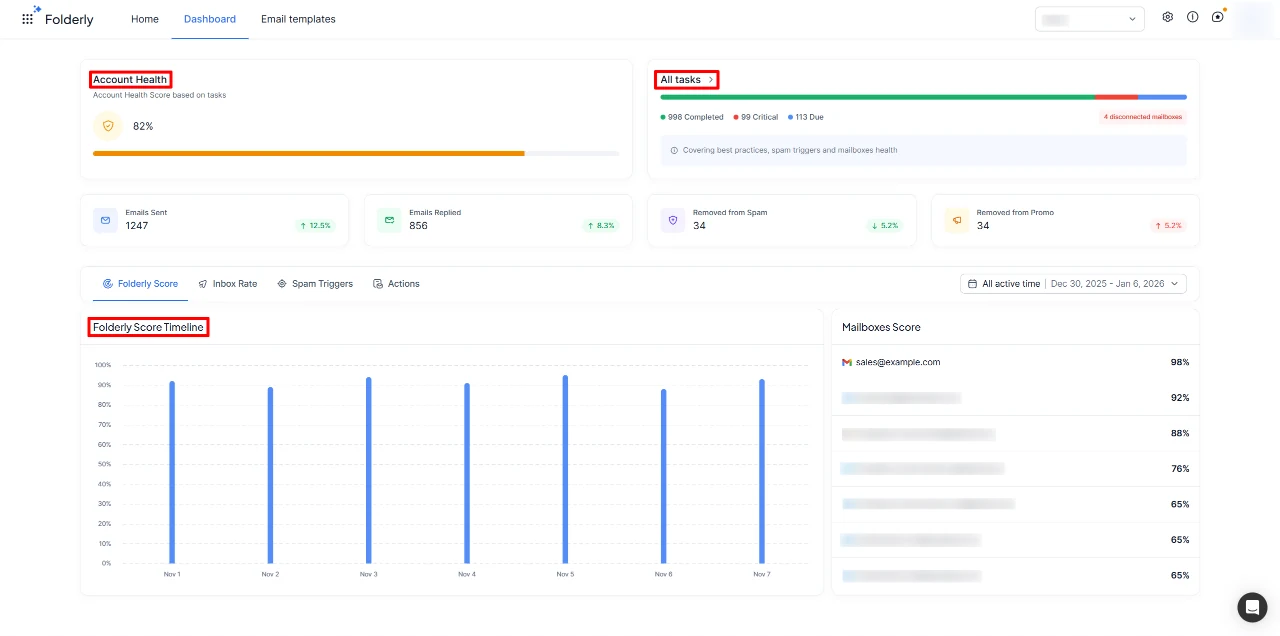
Each mailbox and domain gets a Folderly Score out of 100, with its inbox, spam and “other” rates, the spam triggers detected in Gmail and Outlook, best practices and a list of tasks to fix. Google Postmaster Tools and Microsoft SNDS data can be added to the dashboard, and guides cover sending services such as Amazon SES, SendGrid and Mailgun.
“Warm-up doesn’t work”, says Folderly
Since July 2026, its product page has opened its comparison with the heading “Warm-Up Doesn’t Work”, and its solutions page calls the platform distinct from a sending tool and from a warm-up tool. As recently as April 2026, its product page was titled “Email WarmUp Tool”. The daily upkeep still works through engagement on your own mailboxes; what Folderly adds around it is diagnosis, monitoring and a person to act on them.
A specialist, not a sending tool
The platform comes with a named deliverability specialist, “one person accountable for your outcome”, and Folderly sells an audit, an email validation service and consulting on top, without a published price. It never sends your campaigns: Folderly AI drafts them, and its own page states that sending and automation stay separate.
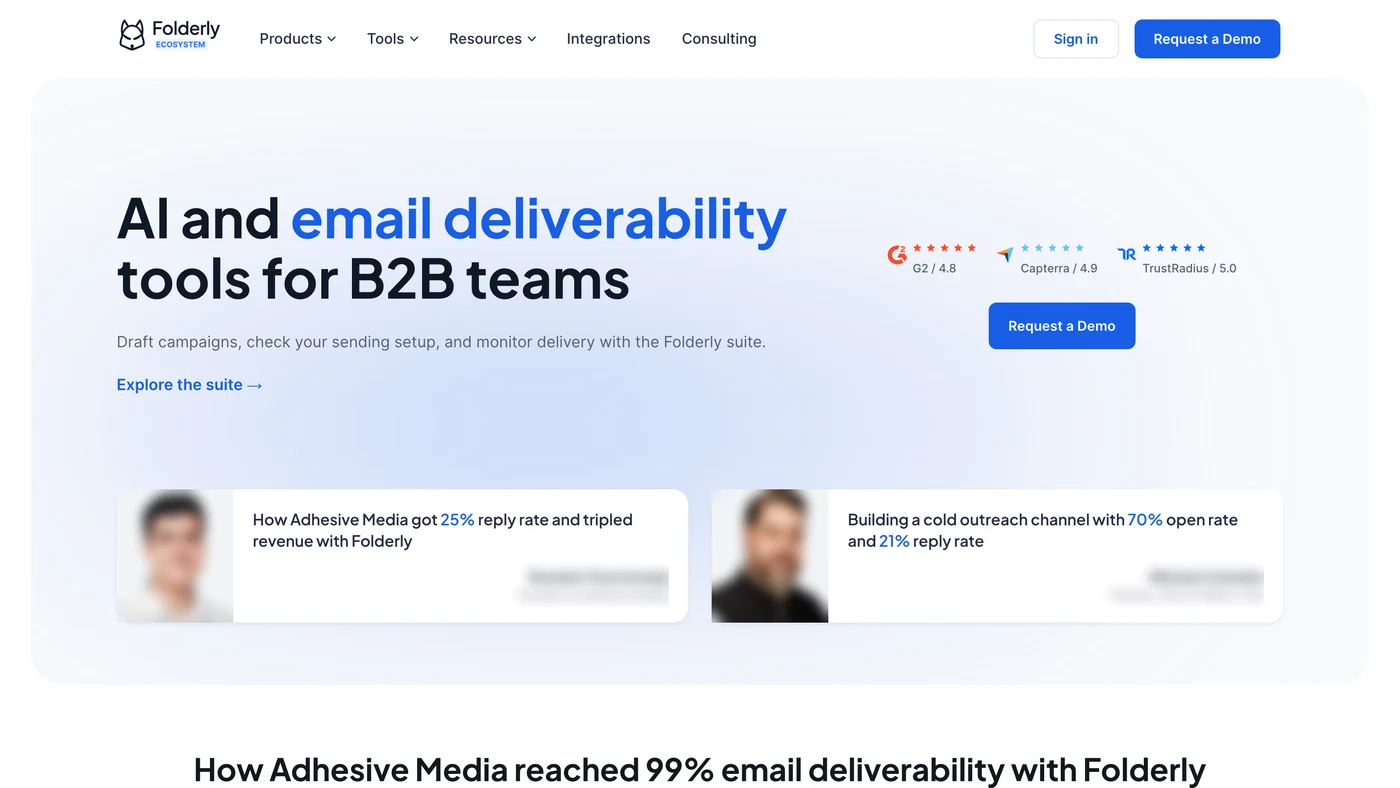
Folderly reviews: 4.8 on G2 and Capterra
The G2 and Capterra figures are those shown in search results in October 2026; Trustpilot was read on its own page. The scores are high and the review counts modest.
Where the ratings agree
- G2 and Capterra both put Folderly near the top of the scale, at 4.8
- Trustpilot gives 4.5 on a profile Folderly has claimed
- G2’s 99 to 102 reviews make it the largest sample of the three
Before relying on them
- Trustpilot holds 17 reviews, only 1 of them from the past twelve months
- Folderly’s site shows “Capterra / 4.9”; search results for Capterra show 4.8
- The “TrustRadius / 5.0” badge on its site could not be checked
Free before you buy: the spam words checker, Inbox Insights and Pulse
The Folderly product has no free plan, but several of its tools cost nothing and give a fair idea of how the company approaches deliverability.
- The Folderly spam checker. On its Email Spam Words Checker, you paste a subject line and an email body and the words worth a second look light up. Folderly is careful to add that a flagged word does not predict inbox placement: the tool helps with wording, not with authentication or reputation.
- Inbox Insights. 2 placement tests a month for free, counted per account rather than per mailbox, with a report by provider and checks of your sending IPs and DNS. Beyond that, paid tiers start at $79 a month for 100 tests.
- Pulse. Placement monitoring with alerts by email and Slack, free and usable without a Folderly subscription. Like Inbox Insights, it opens with a simple sign-up, where the Folderly product itself starts with a demo.
- Flash and the generators. Folderly Flash tests one real email, 3 times a day per IP address, without signing up, and its SPF and DMARC generators round out the free set.
$96 an inbox a month, paid upfront for a year
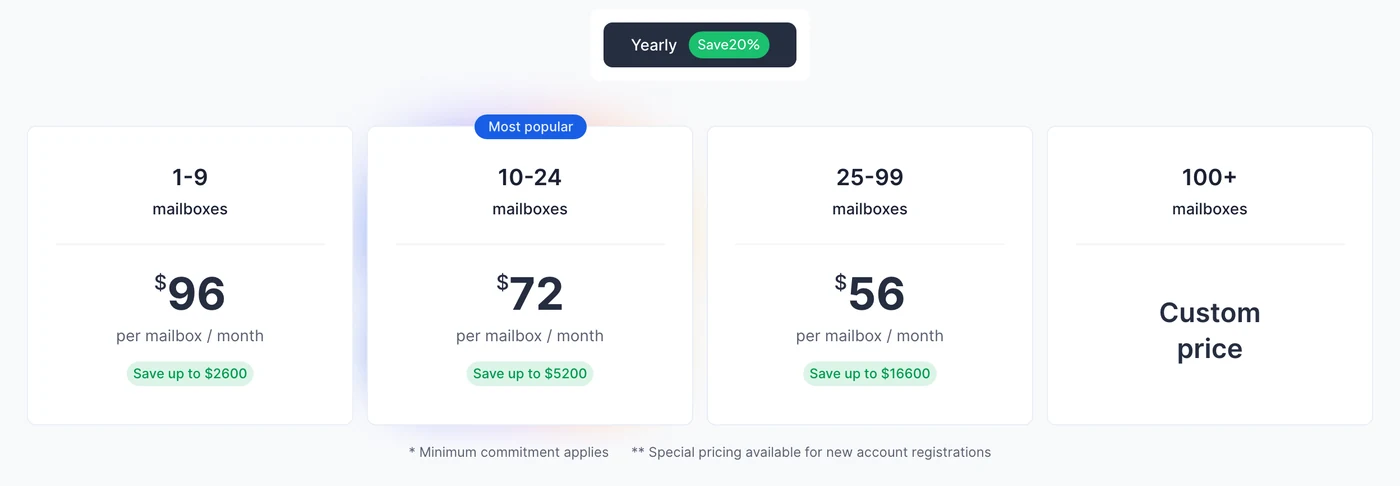
Folderly charges per mailbox and per month, billed yearly only: $96 from 1 to 9 mailboxes, $72 from 10 to 24 mailboxes and $56 from 25 to 99 mailboxes, the tier you reach applying to every mailbox, and a custom price from 100. A minimum commitment applies, and no monthly plan is sold any more. The Folderly pricing page traces where the monthly plan went and sets the monthly cost of 3, 50 and 100 mailboxes against Emelia’s plans.
One contract per inbox, or one plan that also sends: Folderly and Emelia
Each row shows what the same mailboxes cost for a month. On Folderly’s side, that month comes out of a year paid upfront, its only plan; on Emelia’s, it is the monthly price, with no commitment. Rows start from Emelia’s plans: Start connects up to 3 mailboxes, Grow up to 50, and each one is warmed. Folderly bills in US dollars, while Emelia’s figures follow your currency without changing the number.
What the same mailboxes cost each month
3 mailboxes
50 mailboxes
Around the mailboxes
Commitment
Inbox placement tests
A named deliverability specialist
Cold email campaigns from these mailboxes
LinkedIn outreach
Finding emails and phone numbers
Prices before tax. Folderly’s grid adds a minimum commitment and “special pricing” for new accounts, with no figure; we use the published grid. For visitors paying in euros, a check mark only appears where it would survive any exchange rate.
What Folderly looks like
Folderly Inc. and the Belkins agency
Folderly Inc. is registered in Dover, Delaware, which is why it bills in US dollars. A press release from January 2023 dates its founding to 2019, and announced backing from the Google for Startups Fund; a job-board profile speaks of a public launch in 2020.
Folderly grew out of Belkins, a lead generation agency: the Belkins logo sits in the footer of every Folderly page, the same profile calls Folderly the agency’s first product, and its terms name Vladyslav Podoliako as founder. On Folderly’s blog, one author bio presents Vladyslav Podoliako as “Founder & CEO of Belkins and Folderly”, while another names Anastasiia Ivannikov as Folderly’s CEO.
The contact page claims “181 Loyal customers” and, a little further down, “Thousands of businesses”. Folderly states a security programme backed by SOC 2 Type II and ISO 27001, and pays affiliates 15% of each subscription they bring in.
Folderly: login, sending, trial and replacements
The “Sign in” button on folderly.com opens app.folderly.com. If you have lost your password, “Trouble signing in” under the sign-in button emails a reset link that stays valid for 12 hours; accounts created with Google SSO or another identity provider manage their password there.
No. Folderly AI writes campaign drafts, but sending and automation stay in your own tool: the platform sits underneath whatever you send with. Emelia sends the sequences from the mailboxes it warms, with LinkedIn steps in the same campaign.
Its pricing and product pages lead to a demo. Some tool pages and guides still offer to “request” a 7-day trial with access to every feature, and a recent blog post suggests asking whether a trial is available: in practice, a trial on request, after the demo. Inbox Insights and Pulse can be used for free meanwhile. Emelia’s 7-day trial starts on its own, without a card.
It depends on the part you want to replace: placement tests, the daily upkeep of your mailboxes, or the person who reads the results. Our Folderly alternatives page sorts them that way, starting with Emelia for teams whose warmed mailboxes also send their campaigns.
Emelia features: Email warm-up · Cold email · Emelia pricing
Emelia is a Folderly competitor. We have tried to stay fair: every figure about Folderly comes from its own website or public review sites.


