
GMass vs Emelia at a glance


- Cold email from your own mailboxesYesYes
- Email and LinkedIn in one sequenceNoYes
- LinkedIn automationNoYes
- Email finderNoYes
- Phone number finderNoYes
- Email verificationYesYes
- Native CRM integrationNoYes
- APIYesYes
Checked on November 16, 2026 on GMass’s own pages and on Emelia’s pricing page.
Installing the GMass extension: one red button in Gmail’s compose window
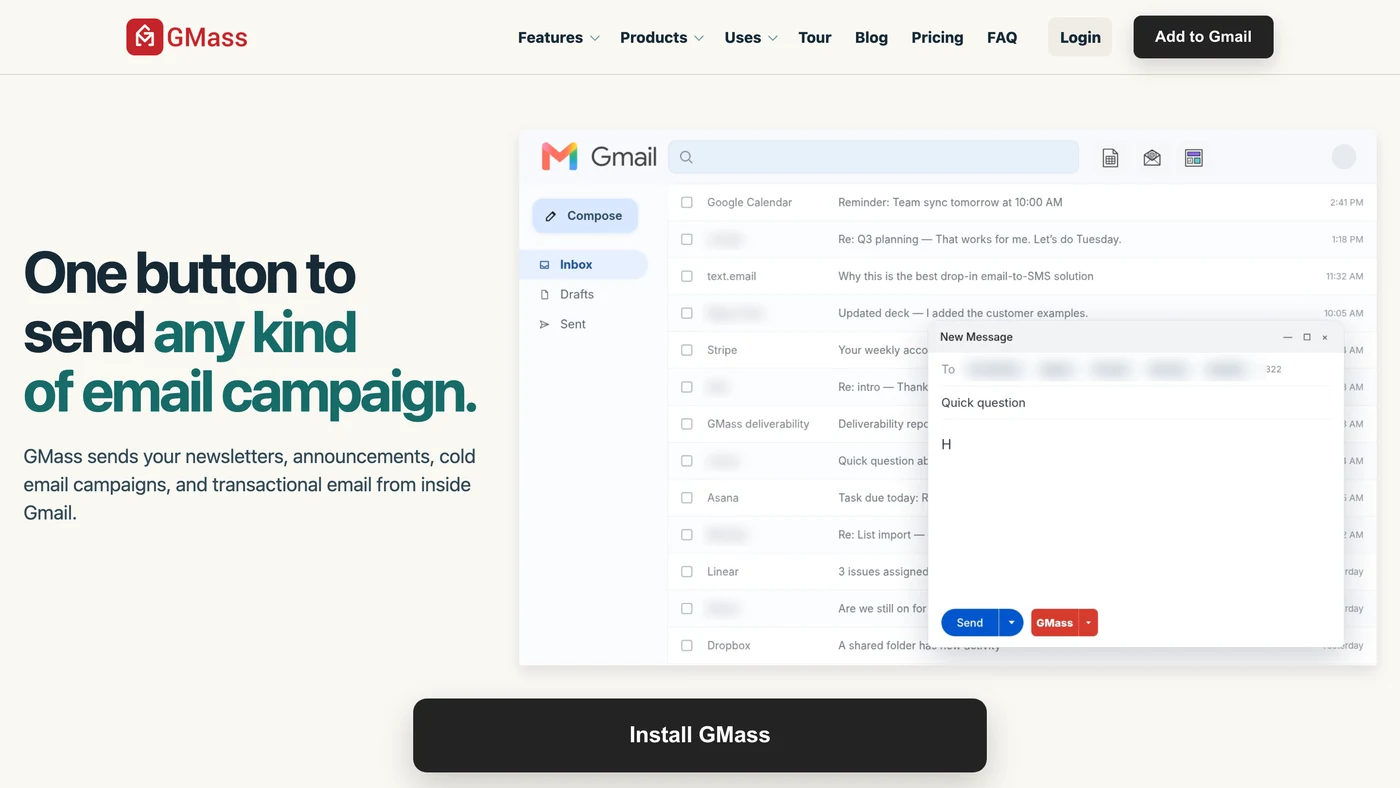
GMass is first of all a Chrome extension, listed on the Chrome Web Store as “GMass: Powerful mail merge for Gmail”: 4.7 stars from 9,200 ratings and 400,000 users, version 6.0.49, updated on November 3, 2026. No campaign leaves Gmail without it.
Download it, add it to Chrome, open Gmail
The download is free from the extension’s page on the Chrome Web Store. Once added to Chrome, it places a red GMass button next to Gmail’s Send button and adds a settings box where tracking, follow-up stages, scheduling and A/B tests are set, campaign by campaign.
The extension connects to the Google account you send from and sends through its Gmail API, so every message also sits in your Sent folder. The 7-day trial needs no card and is capped at 50 emails per rolling 24 hours.
The Workspace add-on and Tracker Blocker
GMass also publishes a Google Workspace add-on, “GMass for Gmail” (4.8 from 6,787 reviews, “1M+” installs on the Marketplace). It shows campaign statistics and unsubscribes in Gmail’s side panel, but GMass says the Chrome extension is still needed to launch a campaign. A second extension from the same publisher, Tracker Blocker, is there to make open tracking more reliable.
What GMass looks like
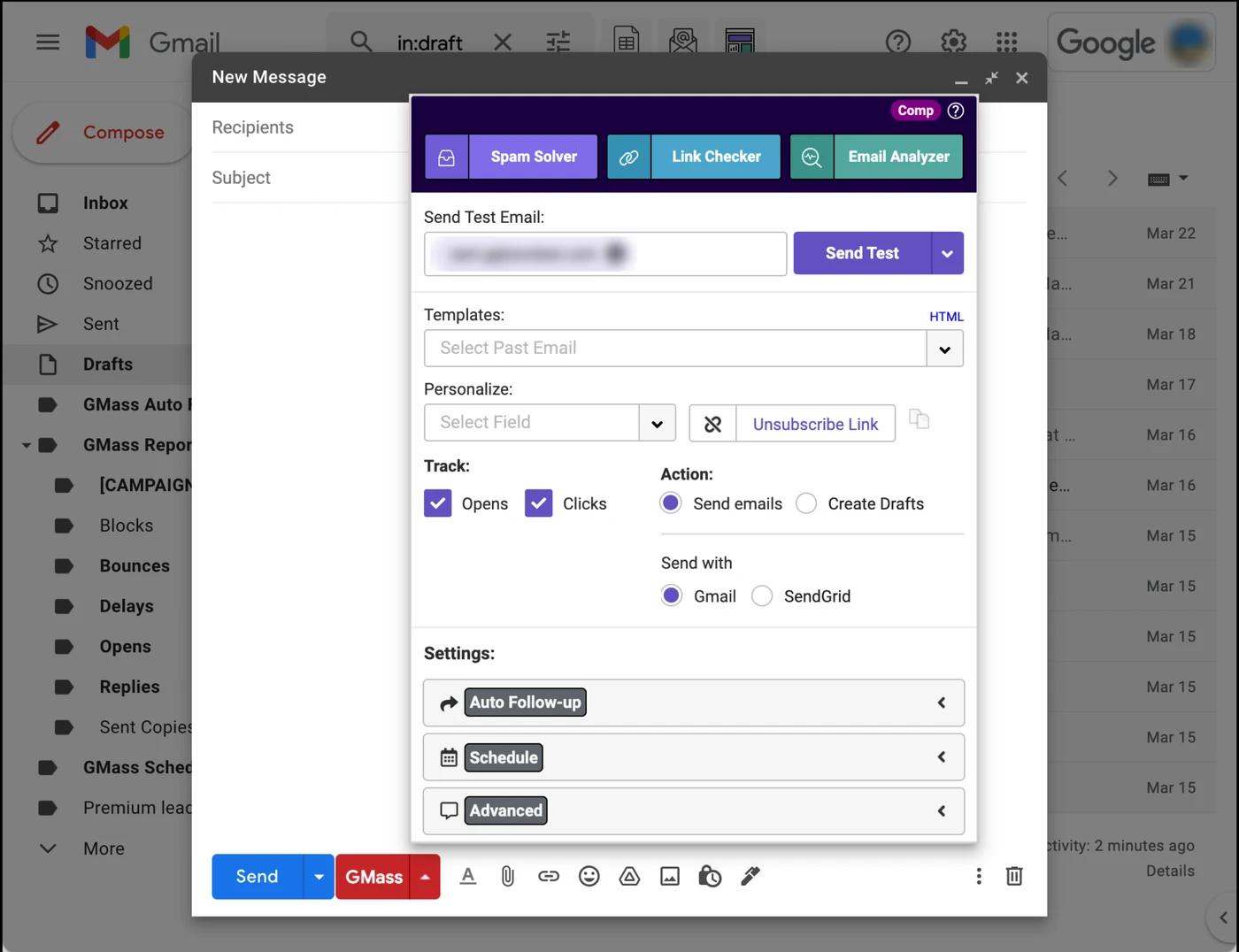
What GMass does inside Gmail: a mail merge fed by Google Sheets
GMass sends personalised campaigns from a Gmail or Google Workspace account, one email at a time from your own address: cold emails with follow-ups, newsletters, announcements, even transactional emails. Its mail merge reads a Google Sheet, and each column becomes a field you can drop into the subject or the body.
How to use GMass, step by step
A first campaign goes like this:
- Pick a list: a Google Sheet, Gmail contacts, or addresses gathered by searching your own inbox with the Email List Builder. A CSV file goes through a Google Sheet first.
- Write the email in Gmail’s compose window, with the Sheet’s column names as merge fields.
- Open the settings box to switch on tracking, add follow-up stages (from Premium), schedule the send or set up an A/B test.
- Press the GMass button. A campaign tied to a Sheet can keep emailing the rows added later.
What each plan unlocks
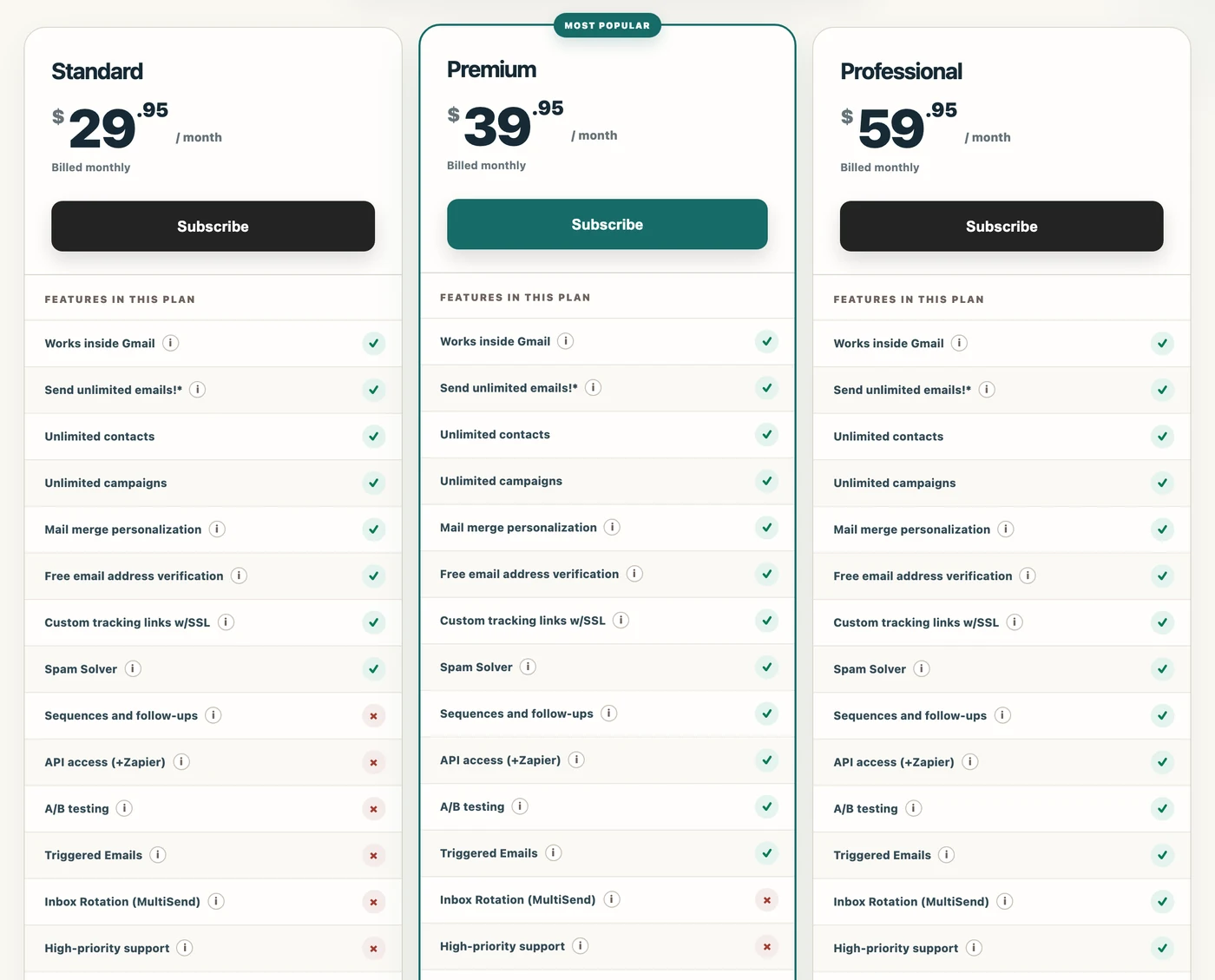
Standard sends mail merges without automatic follow-ups. Premium adds follow-up sequences, A/B tests, emails triggered by an open, a click or a reply, and the API with Zapier. Professional adds MultiSend, which spreads one campaign over several Google mailboxes, and high-priority support. Contacts, campaigns and emails stay unlimited on every plan, within Google’s own daily caps.
Gmail and Google Workspace, nothing else
GMass connects Google accounts, gmail.com addresses included, and calls itself “a Gmail-only product”: an Outlook or Microsoft 365 mailbox cannot send through it. Its own comparison with Instantly lists what it lacks: non-Gmail accounts and a paid lead-finding service among them. It has no LinkedIn feature and, by its own account, its Salesforce and HubSpot integrations are still in progress.
GMass SMTP test and SMTP servers: what happens past Gmail’s daily cap
Google caps what one account sends in a day: up to 500 emails from a gmail.com address and 2,000 from Google Workspace, often fewer on a new account, says GMass’s page on sending limits. Its SMTP tools are the answer for whoever sends more.
The free SMTP Test Tool
GMass’s SMTP tester connects to any SMTP server, with presets for SendGrid, Mailgun, SMTP2GO, Brevo, JangoSMTP and GMass, on ports 25, 2525, 465 or 587, and prints the whole conversation between client and server. It shows where authentication, encryption or sending breaks down, and it is free, GMass account or not.
Sending through SMTP past Gmail’s caps
A campaign can switch to an SMTP server, yours or one of GMass’s, once Gmail’s cap is reached. The first 10,000 emails sent this way are free. After that, GMass’s price announcement and its detailed pricing tables say €$5 per 10,000, while its article on SMTP options says $0.40 per 1,000; it does not say over which period the free emails count. ColdSMTP, GMass’s own sending server for cold email, is granted on application and costs $99 a month on top of the plan.
Several mailboxes instead of one big one
The other route past the caps is MultiSend, from Professional: one campaign spread evenly over several Google mailboxes, each with its own daily limit, and a mailbox that bounces is skipped. At a cold email pace, each mailbox stays far below Google’s caps.
Inbox, spam or promotions: the checks GMass runs before you send
Two of these checks come with every GMass plan, the trial included; the third is open to anyone.
Spam Solver, the GMass spam checker
Spam Solver sends the campaign to test inboxes before the real send, reports where it lands (primary inbox, promotions or spam) and suggests changes to the message.
gmass.co/inbox, open to anyone
The same test is public: you send your campaign, from any email platform, to the 15 test addresses listed on the page, some of them behind Barracuda, Mimecast and Sophos filters, and watch where each copy lands.
The GMass email verifier
GMass checks the addresses of a list before sending, free and without a quota inside campaigns, and its API checks up to 5,000 addresses an hour. For one-off checks on the web, its pages disagree: the verification page calls the tool free for everyone, while the extractor page says web verification is “currently unavailable” and points to the API on a paid plan.
GMass reviews and safety: Chrome, Workspace, Capterra, G2 and Trustpilot
Read in November 2026. G2 and Capterra block robots, so their figures come from search listings. Is GMass safe? The Chrome Web Store marks the extension “Featured” and says it follows recommended practices; GMass sends through Google’s Gmail API with the access you grant, which you can remove from your Google account’s connected apps.
Its strongest scores
- Capterra: ease of use and value for money both at 4.7/5
- 400,000 users on the Chrome extension, according to the store
- Chrome Web Store: published by the owner of the listed website, with no history of violations
Where it scores low
- Trustpilot: 48% one-star reviews out of 40, on a profile GMass has not claimed
- Complaints there: support, Gmail accounts restricted, charges after cancelling
- GMass’s own pages quote other figures: 4.8 on the Chrome Web Store, 1,324 reviews on G2
GMass or Emelia: 3 Google mailboxes, then teams of 5 to 25
GMass bills each person who launches campaigns: one subscription per Google account, rotation over several mailboxes from Professional, team plans from 5 people. Emelia bills a plan by its mailboxes and LinkedIn accounts, however many people share them. Each row starts from an Emelia plan: 3 mailboxes for Start, 50 for Grow, more on Scale.
Monthly price for the same sending
One person, 3 Google mailboxes
3 people, 3 mailboxes (one each)
5 people, 50 mailboxes
10 people, 50 mailboxes
25 people, 100 mailboxes
What comes with the plan
Automatic follow-ups
One campaign over several mailboxes
A/B tests and API
LinkedIn invitations and messages
Email and phone finder
Native CRM integration
Inbox placement test
What sets the price
Billed monthly, excluding VAT, GMass in its euro or dollar grid depending on your currency, checked on November 16, 2026. GMass counted at its cheapest for each need: Premium for a person with one mailbox, Professional for whoever rotates several, a team plan when it costs less than separate subscriptions.
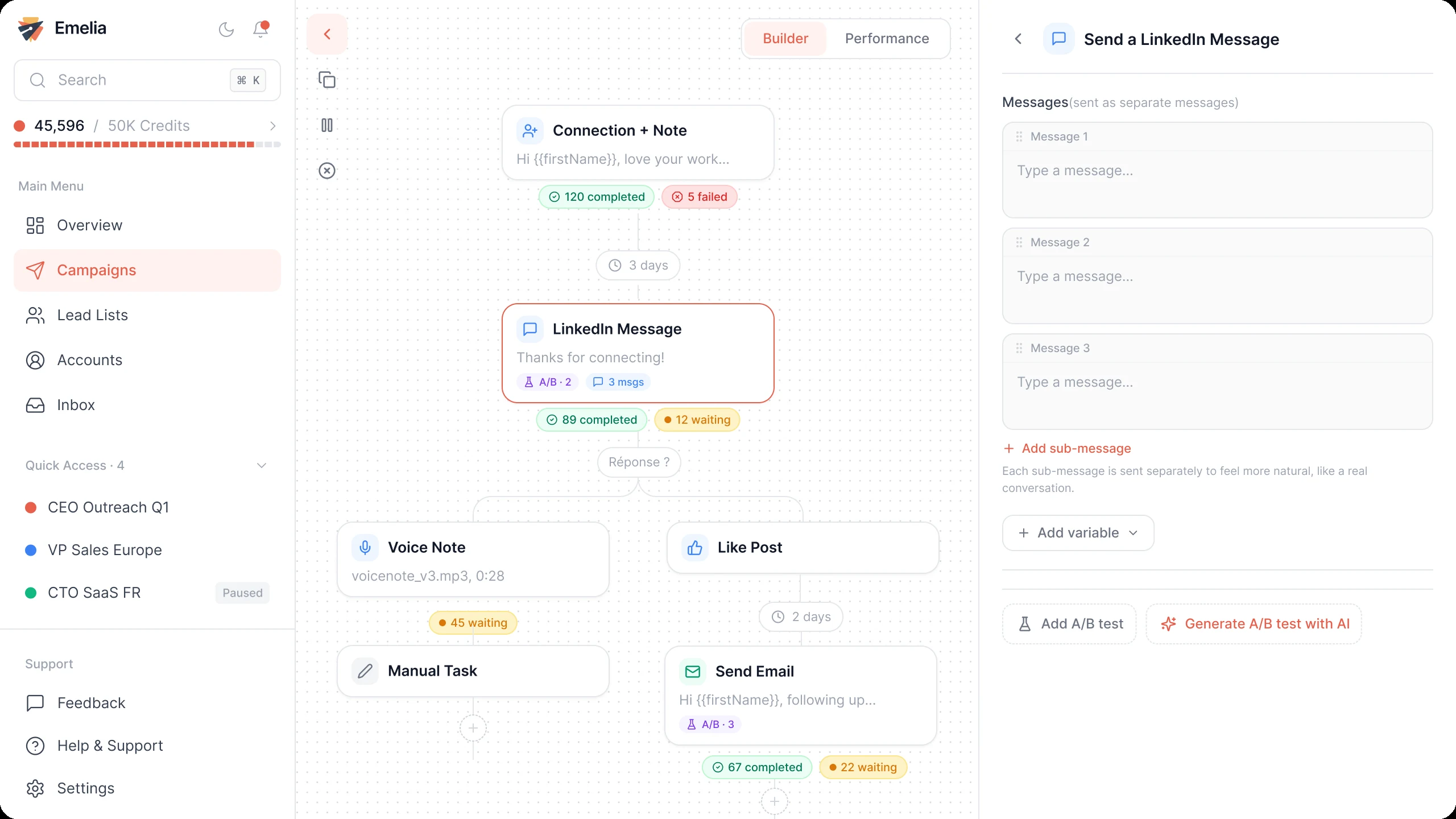
One person, 3 Google mailboxes, follow-ups on
€52/month- Professional, rotation over 3 mailboxes · €52
€37/month- Start: 3 mailboxes and 1 LinkedIn account · €37
One person, 3 Google mailboxes, follow-ups on
$59.95/month- Professional, rotation over 3 mailboxes · $59.95
$37/month- Start: 3 mailboxes and 1 LinkedIn account · $37
Reaching the same leads on LinkedIn: GMass with HeyReach, or one Emelia plan
GMass sends no LinkedIn invitation and no message. Adding LinkedIn takes a second subscription, here HeyReach, billed in dollars per LinkedIn account: $79 each, $59 from 10 accounts. Emelia runs LinkedIn steps and emails in the same sequence, with the accounts in the plan.
1 LinkedIn account, 3 mailboxes
3 LinkedIn accounts, 50 mailboxes
10 LinkedIn accounts, 100 mailboxes
GMass counted at its lowest: one Professional subscription rotating every mailbox. HeyReach bills in dollars only, so in euros the two amounts stay side by side. Emelia’s Chrome extension connects your LinkedIn account to its campaigns (setup guide). On a LinkedIn profile it finds the person’s email and phone number, charged in credits only when found, and adds them to a campaign (the extension); in Sales Navigator, its “Export with Emelia” button sends a search to Emelia, which extracts the leads (how it works). Export your Sales Navigator searches with no limit on the number of exports, from €$37 excl. VAT a month.
How GMass bills: one subscription per Google account that sends
Three plans per Google account, billed monthly: Standard €26, Premium €35 and Professional €52$29.95, Premium $39.95 and Professional $59.95. The pricing page opens on yearly billing, which takes 17% to 31% off, paid in one go.
Team plans start at 5 people (€155$175 a month), all at Professional level, and the price per person falls as the team grows; there is none below 5. With MultiSend, only the sending account needs Professional: the extra Google mailboxes in its rotation are not billed, but every teammate who launches campaigns needs a subscription of their own.
Trial, cancelling, local grids and every team size: GMass pricing in detail.
GMass: questions people ask
GMass has no login of its own: its web dashboard, at gmass.co/dashboard, signs you in with the Google account the extension is connected to. The account settings and the subscription live there; campaigns themselves are launched from Gmail.
GMass describes 3 steps: remove the extension from Chrome’s extensions page, remove GMass from the apps connected to your Google account, and, if you installed the Workspace add-on, remove it in Gmail’s settings.
No. GMass closed its warm-up on January 31, 2023, and none of its plans has included one since.
By ticket: GMass runs its support on Zendesk and offers neither phone nor chat. Professional and team plans get high-priority support.
Yes: 50% of the first year of an individual subscription, 20% of a team plan, then 20% in the second and third years.
GMass, Inc., founded by Ajay Goel, who launched the tool in 2015. The Chrome Web Store lists the publisher in Dayton, Ohio. GMass says it has more than 400,000 users and over 700,000 accounts created since the start.
No. GMass sends from Gmail and Google Workspace accounts only and says so itself; an Outlook or Microsoft 365 mailbox cannot be connected, MultiSend included.
Yes, from Premium: a REST API (api.gmass.co) that creates lists from Google Sheets, creates and sends campaigns and returns reports, 6 webhook events (sends, opens, clicks, replies, unsubscribes, bounces) and a Zapier app. The verification API checks up to 5,000 addresses an hour.
They are sorted by what changes for you on our GMass alternatives page: leaving the Gmail window, adding LinkedIn, or keeping a mail merge in Gmail or Google Sheets. Emelia leads the first two groups.
Emelia features: Cold email · Emelia pricing
Emelia is a GMass competitor. We have tried to stay fair: every figure about GMass comes from its own website or public review sites.


