Finding your prospects' email addresses from their name
You have names and companies, often after a LinkedIn extraction, but no email addresses. Emelia's email finder recovers them from the first name, last name and company, only hands back verified addresses, and only charges for the ones it finds.
What your list needs
An email search always starts from a specific person at a specific company. It needs:
- Claire Morel, ateliervert.fr
- Hugo Bernard, Nexa Consulting (company name only, less reliable)
- A list extracted from LinkedIn or Sales Navigator by Emelia, which picks up the company and its website
- A LinkedIn profile URL alone, with no name or company
- A domain alone, an industry or a job title (“the CFO at Acme”)
- A generic (contact@) or personal (Gmail, Hotmail) address: the search only returns named business addresses
- The first and last name, in the
firstNameandlastNamefields. - The company: ideally its website, otherwise its domain, otherwise its name. Emelia tries them in that order.
- The country, optional: it mostly helps when the website is missing.
It is the first cause of disappointing results: a website column that is empty, full of LinkedIn URLs, or mapped wrong at import. Before launching, check in the list that the website column really holds addresses like ateliervert.fr. Good mapping takes you from a handful of addresses to several hundred.
Step 1: run the search on a list
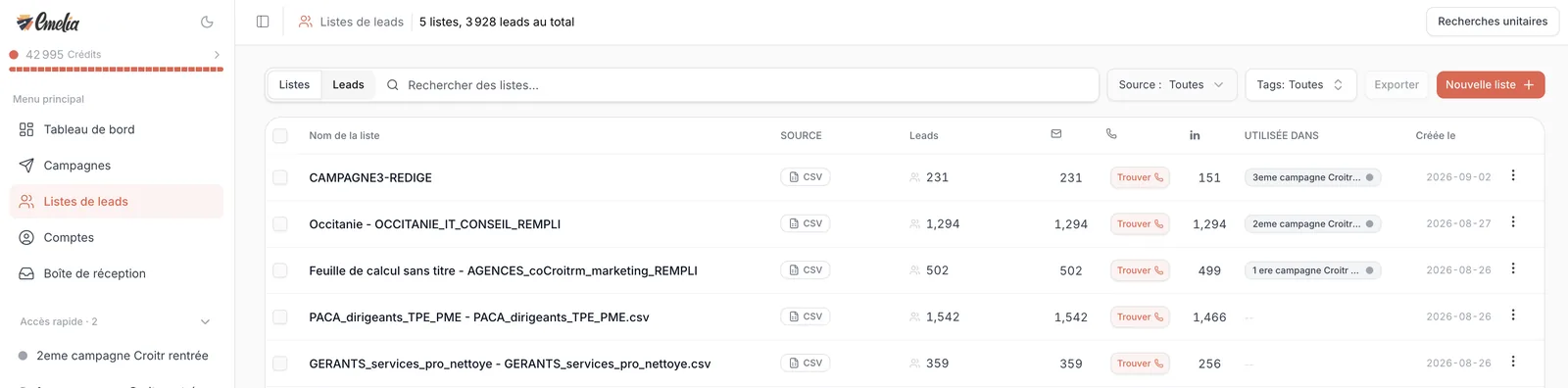
Open the list and click Find email in the toolbar above the table. Shortcut: for a list that has no address at all yet (a fresh LinkedIn extraction, for example), a Find button shows up right in the email column of Lead Lists.
With nothing selected, the search covers every lead in the list that has no address yet. If you tick leads, it only covers them: the box at the top of the table selects the leads on the page, then a link offers to Select all N results, meaning the whole list or every result of your filter.
Step 2: read the quote, then launch
A panel opens on the right. It shows the column where addresses will land, the Search country, the number of Entries without email and the Credits to be used. If information is missing, Emelia tells you before launching: leads with no first or last name can't be searched, and for leads “missing website, domain, or company name”, it lets you point to another column holding that information.
Click Run. A banner tracks progress at the top of the list, and you can leave the page: the search goes on without you. At the end, Emelia shows how many addresses were found out of the leads processed, and the addresses appear in the email column.
While a search is running on a list, you can't start another one on the same list. There is no grouped search across several lists either: run them list by list.
How credits are reserved, then refunded
A found address costs 1 credit, a search that finds nothing costs nothing. But Emelia can't know in advance how many addresses it will find. At launch, it therefore reserves the maximum cost: one credit per lead without an email. At the end, only the addresses found are charged, and the rest goes back to your balance.
If your balance does not cover the reservation, nothing starts: Emelia shows how many credits are needed, with a link to buy some. Your balance can therefore never go negative.
During the search, the credit counter at the top of the menu shows your balance minus the reservation. It goes back up at the end, by the amount of the contacts not found. The details show in the usage history: see understanding credits.
Success rates: what to expect
Expect around 50% of addresses found on average, in a 30% to 70% range depending on the target. With a first name, last name and real domain properly filled in, you get close to the top of the range. It is not the tool searching badly: some addresses simply can't be found.
| Target | What to expect |
|---|---|
| Founders and managers at small and mid-size companies, with the company website | The top of the range. |
| File without websites, approximate company names | The bottom of the range: fix the data first. |
| Very large companies (tens of thousands of employees) | Often very little: too many namesakes, so the tool would rather return nothing than get it wrong. LinkedIn is a better channel. |
| Freelancers without a domain, doctors, notaries, franchise networks | Next to nothing: these people have no named business address. |
For targets that give nothing, switch channels rather than stacking tools: a LinkedIn campaign, or generic addresses from Google Maps for shops and tradespeople (prospecting local targets, the Basile database).
For email, stacking sources adds little: out of 1,000 contacts with first name, last name and domain, around 700 addresses with Emelia versus about 750 with a waterfall of tools, a good share of the extra ones ending up as bounces, for four to six times the price. Emelia also drops any address already known to have bounced in its own sending. For phone numbers, it is the opposite: see finding phone numbers.
Addresses that are already verified
Every address is tested against the mail server before it is handed to you. The expected bounce rate on these addresses stays below 2 to 3%. Don't run them through a verifier, internal or external: you pay twice, and some tools reject perfectly good addresses.
One case worth knowing: some domains accept any address (they are called “catch-all”). Nobody can prove from the outside that a given mailbox exists there. That is why a verification sometimes returns Unverified: the address is neither good nor bad, just impossible to check.
Guessing firstname.lastname@domain.com for the contacts not found is the surest way to send your bounce rate through the roof and hurt your sending mailboxes' reputation. See lowering your bounce rate.
Running it again on contacts not found
Fixed some websites, or completed some names? Run Find email again: only the leads still without an address are searched. To target precisely, filter the list (Filter, email column, “is empty”), select the results, then launch.
Keep in mind that Emelia does not remember past searches: searching the same person again is charged again if an address is found. So deduplicate your lists before enriching (cleaning and deduplicating a list).
Contacts left without an address are not lost: they can receive a campaign that starts with LinkedIn. To isolate them, filter on an empty email, then click Create a list.
For a single contact: Single Search
In Lead Lists, the Single Search button at the top right opens three tabs: Find Emails (full name, country, company name or domain), Find Phone Numbers and Verify Emails. Each tab keeps the history of your searches. The price is the same as in bulk.
 1
1- 1Single Search: to look up one person's address.
Frequently asked questions
The questions we get asked on this topic, answered briefly.
Why does the search only find half of the addresses?
Because half of the addresses can't be found, not because the tool searches badly. The search rebuilds the address from the name and domain, then checks it with the mail server. When the person has no named business address, or their server does not allow checking, no tool will find it reliably. The normal range is 30% to 70% depending on the target, and the data that moves it most is the company website.
How long does a search take?
As a rough guide, half an hour for one to two thousand contacts, one to two hours for about 6,000. You can close the page: the search keeps going, and the banner at the top of the list tracks progress.
My balance dropped more than expected at launch
That is the reservation: Emelia sets aside one credit per lead without an email at launch, then refunds the credits of the contacts not found at the end. Wait until the search is over before doing the maths.
Should I run the found addresses through a verifier?
No. They are already verified before being handed to you. A second check costs credits for nothing, and an overly strict verifier will sometimes reject perfectly good addresses.
Can I find the email from a LinkedIn URL alone?
No, you need the first name, last name and company. If you start from LinkedIn, run the extraction with Emelia: it picks up the name, the company and its website, which is enough for the search.
The same address was given to two people
It can happen, rarely, with two namesakes at the same company. Report it to support with the list name: we will look into it.
Can I run the search on several lists at once?
No, the search runs list by list, and only one at a time on a given list. If your contacts are spread across several lists, merge them first: you will also avoid paying twice for duplicates.